Published specifications for G2
Not established for this configuration: Height, Mass, Actuated joints, Battery runtime.
Hardware and components
- Protection
- IP42 machine protection stated on the product page.
- Manipulation
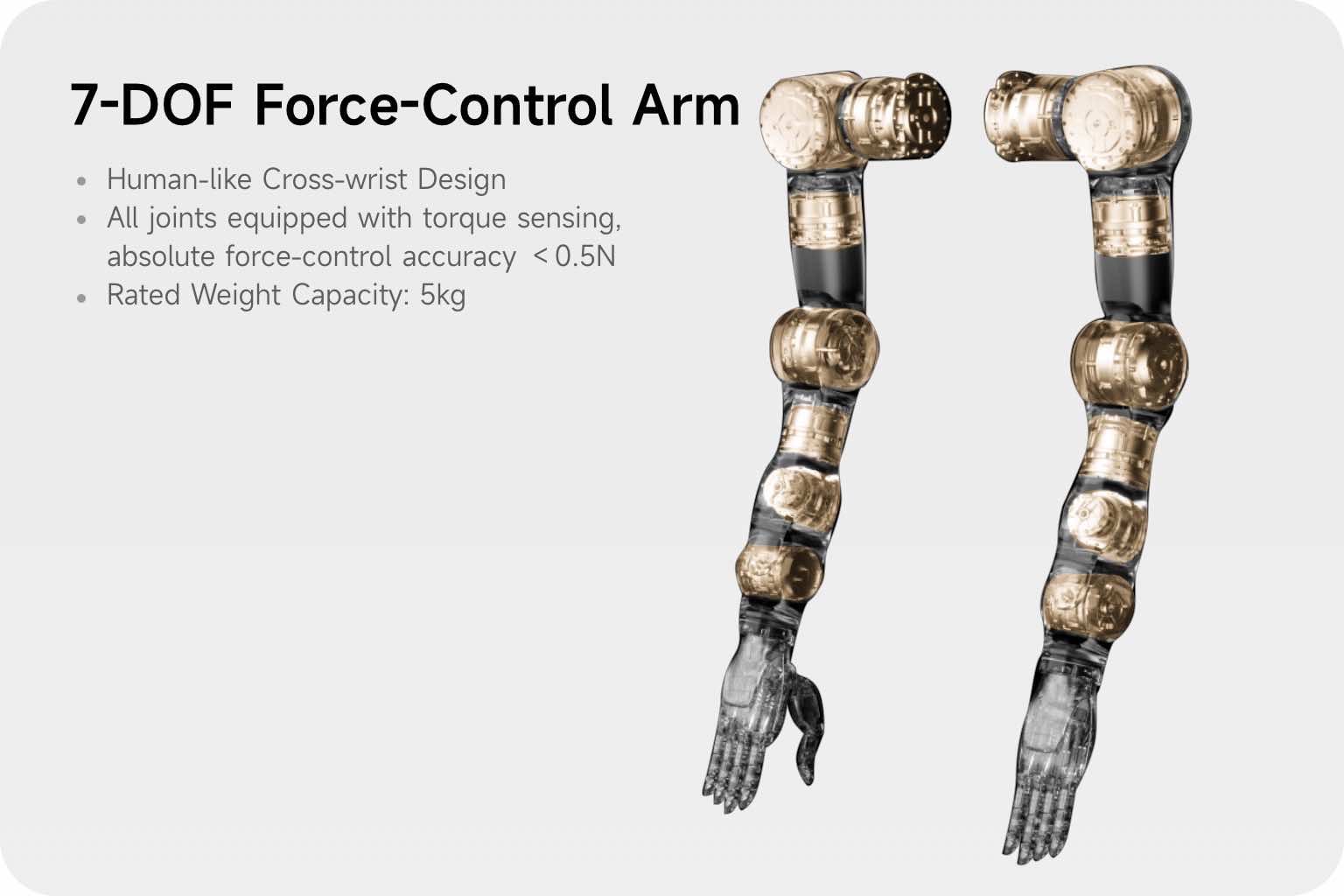
- Force-controlled arms; AGIBOT advertises sub-millimetre assembly capability. The fixture-specific accuracy is not measured in the cited record.
Control and operating conditions
AGIBOT describes Genie RL for task development and a Jetson Thor compute direction. The cited product information does not establish the module, firmware, public OS or ROS 2 interface in an individual order.
Ordering and access
AGIBOT reports industrial installations and handles orders through sales. A configuration-specific public price is not provided.
Manufacturer and development
AGIBOT was founded in Shanghai in 2023 and identifies Peng Zhihui as co-founder, president and CTO. G2 Max is a separate product revision.
Questions specific to AGIBOT G2
What was reported at Longcheer and what remains unmeasured?
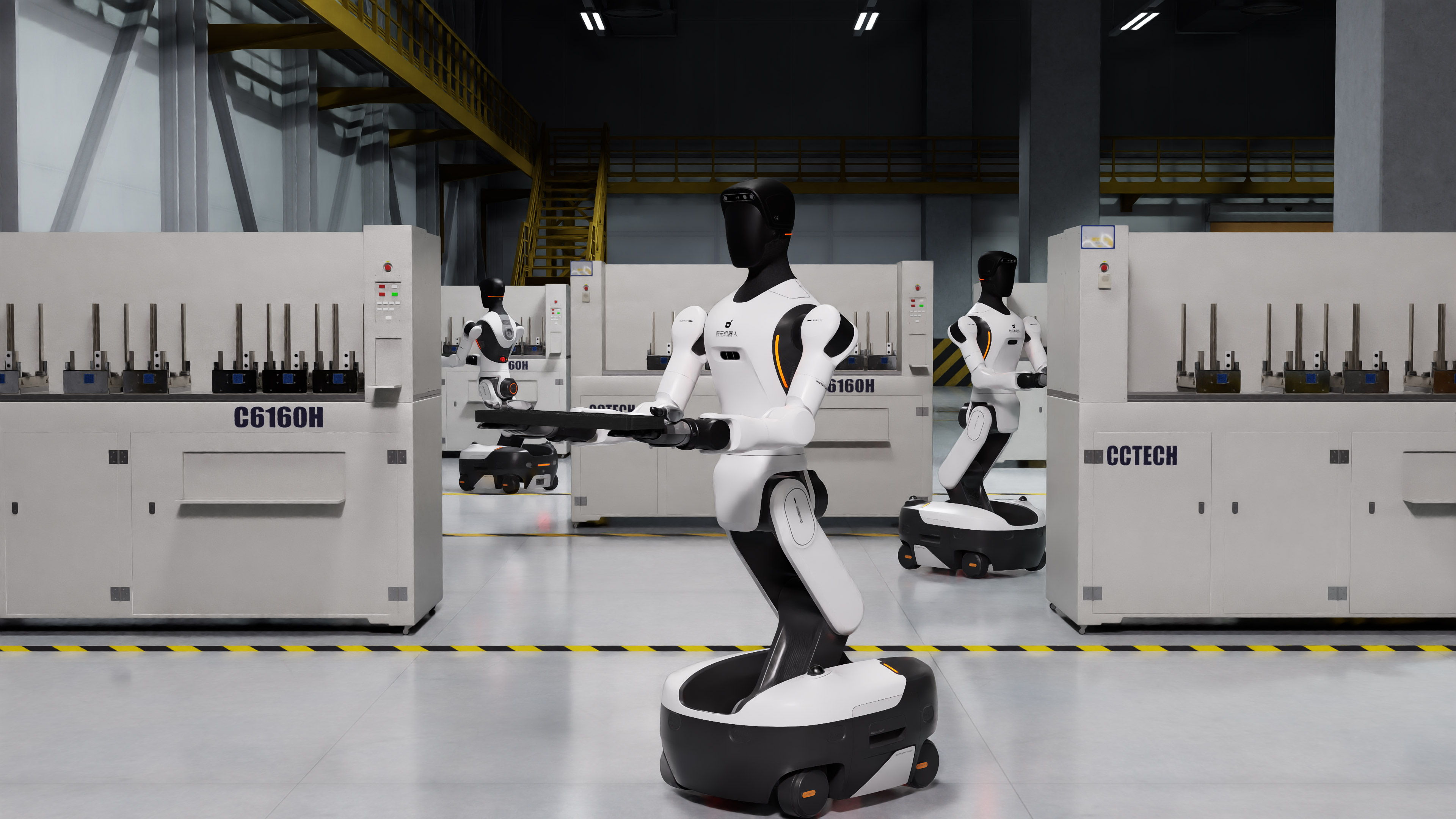
In April 2026 AGIBOT described G2 units loading tablets into MMIT fixtures and sorting tested devices. It does not provide complete independent cycle counts, accepted insertions, scrap, interventions or operating hours. Test floor routes, braking, arm reach and fixture tolerance with the installed tooling; IP42 is not a washdown rating.
AGIBOT G2: Complete Guide to Buying, Starting and Programming the Robot
Manufacturer records checked November 17, 2026. This guide distinguishes documented operating functions from experimental development.
1. What is the AGIBOT G2?
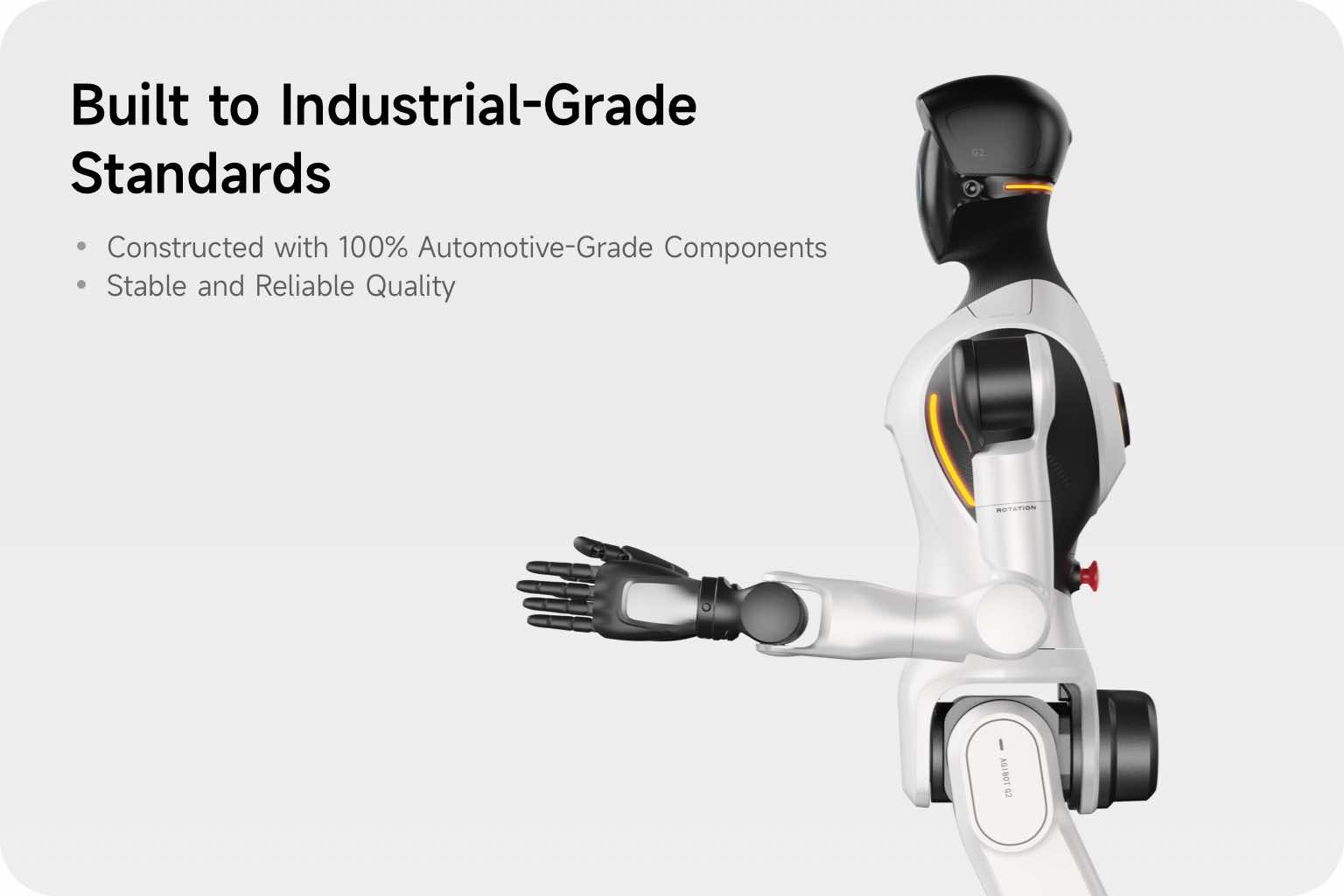
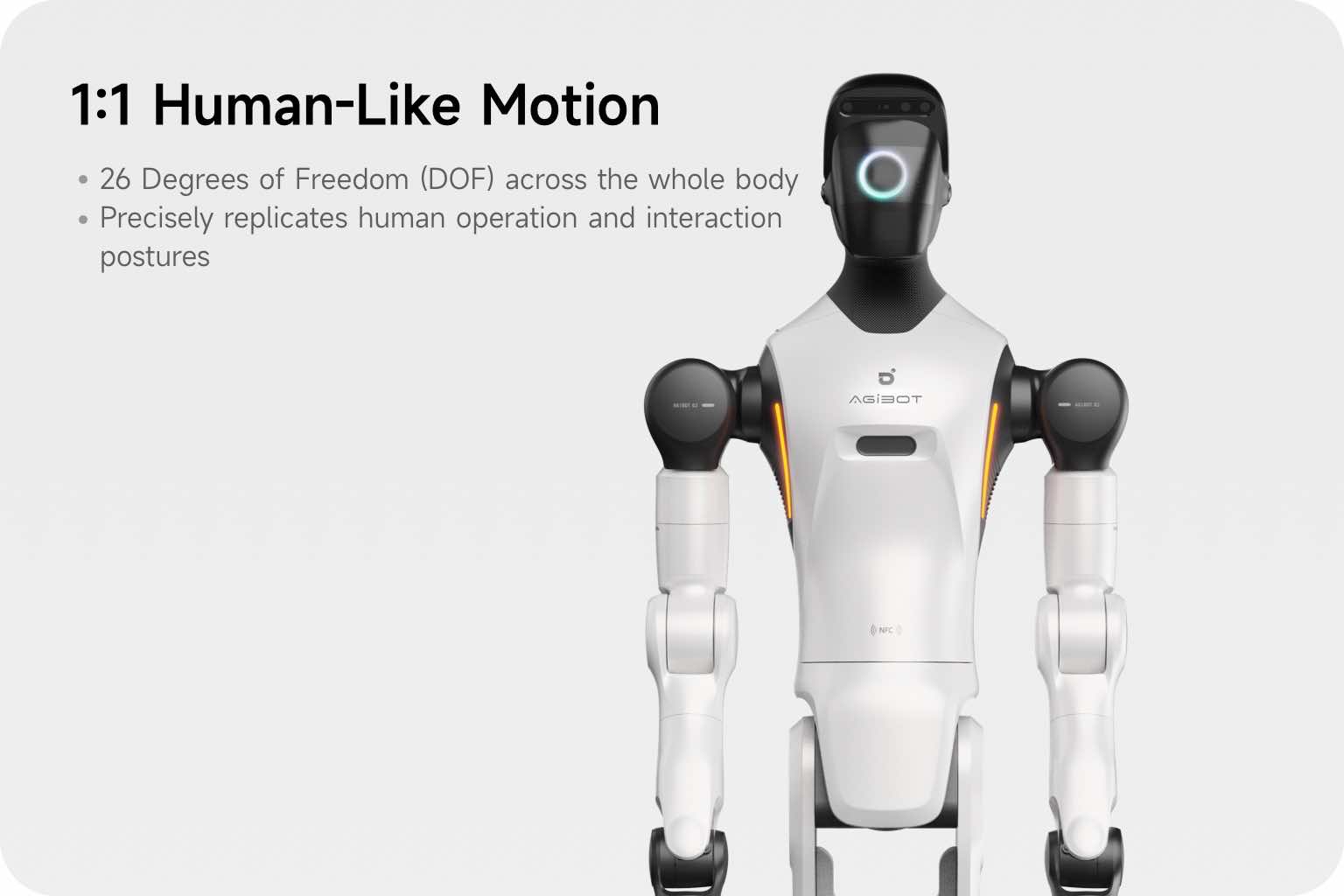
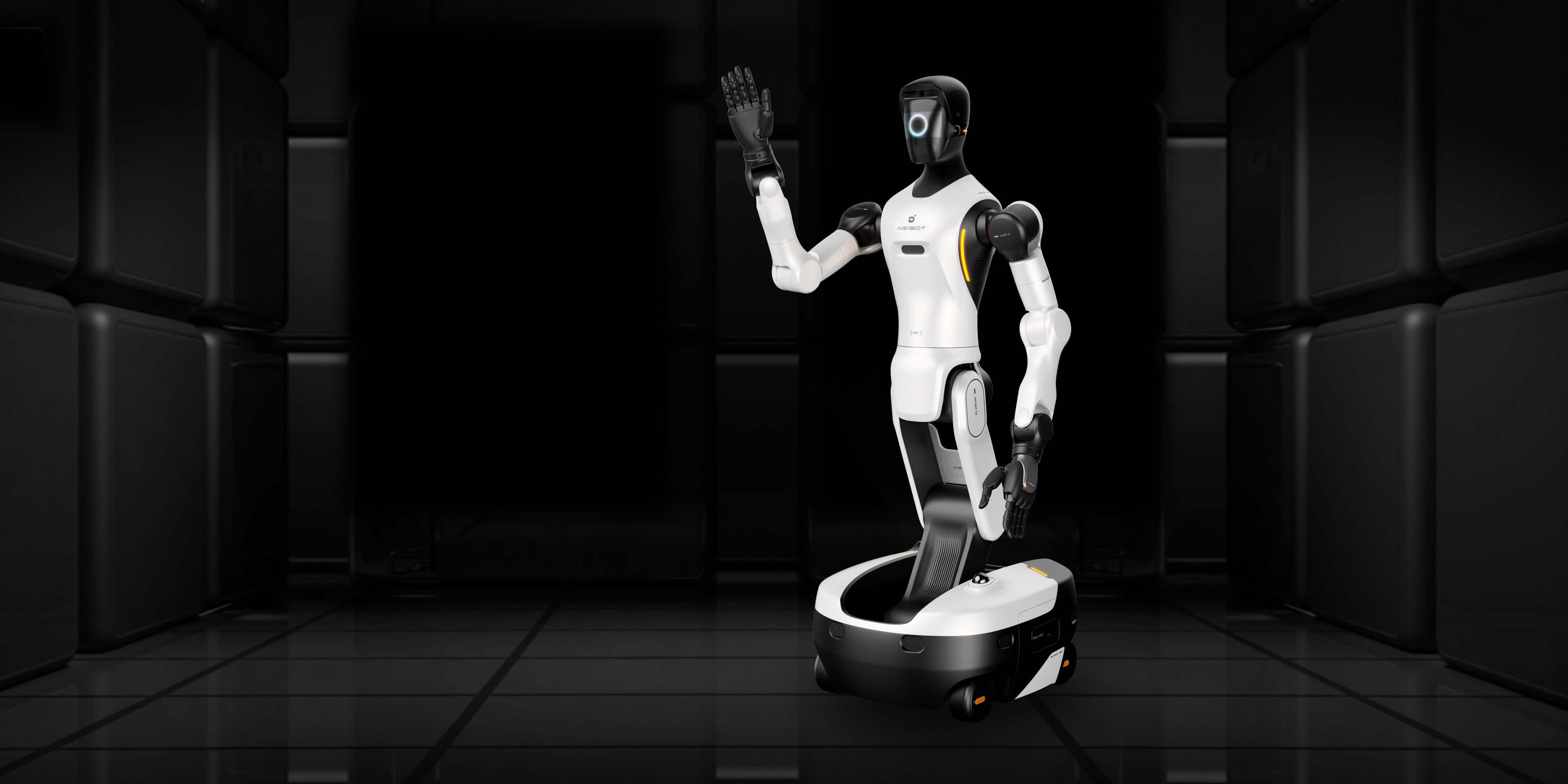
The AGIBOT G2, also called Genie G2, is a wheeled humanoid developed by AGIBOT in Shanghai, China. It has two arms, a torso and an adjustable-height mechanism mounted on four steerable wheels. Its intended applications include industrial assembly, electronic component handling, object transport, logistics, AI research, teleoperation, reception and commercial services.
Unlike bipedal humanoids, the G2 travels using a wheeled base. Its upper-body architecture and adjustable height let it operate in workspaces designed for people.
2. Who created AGIBOT G2?


AGIBOT Innovation was founded in February 2023 in Shanghai, China. Its engineering team created the G2, which was officially introduced on October 16, 2025. Founder portraits: AGIBOT Partner Conference 2026.
3. Technical specifications
| Specification | AGIBOT G2 |
|---|---|
| Adjustable height | 122.5 to 179.5 cm |
| Weight | 185 kg |
| Width | 64 cm |
| Length | 76 cm |
| Degrees of freedom | 25 excluding end effectors |
| Joints per arm | 7 |
| Rated payload per arm | 5 kg |
| Rated dual-arm payload | 10 kg |
| Maximum speed | 1.5 m/s |
| Total runtime | Approximately 4 hours |
| Batteries | 2 |
| Total battery capacity | 1,652 Wh |
| Arm repeatability | ±0.1 mm |
| Protection | IP42 |
| Operating temperature | 0 to 45 °C |
Specifications follow the July 2026 G2 user manual. The robot is designed for indoor use.
4. Mechanical architecture
Simplified functional schematic, not a physical rendering of the robot.
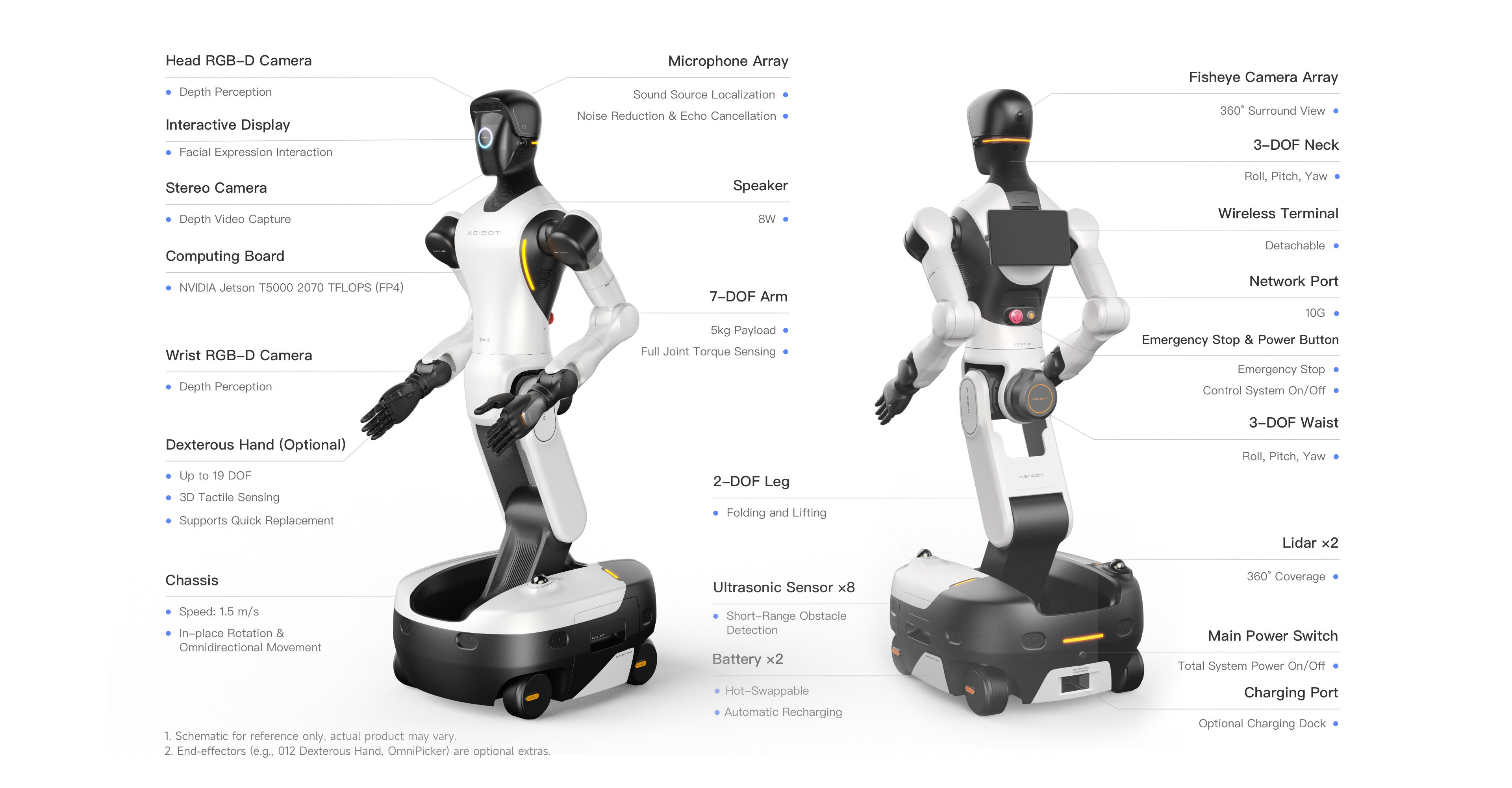
The lifting structure lowers the torso to reach objects near the ground or raises it to work at a table. The head has three degrees of freedom, each arm has seven and the torso assembly has five. The base has four steering wheels.
5. Which sensors does the G2 use?
| Sensor | Quantity | Function |
|---|---|---|
| LiDAR | 2 | Navigation |
| Fisheye cameras | 3 | Peripheral vision |
| Binocular camera | 1 | Teleoperation |
| RGB-D cameras | 3 | Color and depth perception |
| Ultrasonic sensors | 8 | Short-range obstacle detection |
| IMU | 1 | Motion measurement |
| Microphones | 4 | Voice interaction |
| Arm joint torque sensors | 14 | Arm force monitoring |
The three RGB-D cameras are distributed across the head and the two wrists.
6. What computer does the G2 use?
| Specification | Standard version | High-computing version |
|---|---|---|
| AI compute | 500 TOPS INT8 | 2,070 TFLOPS FP4 |
| RAM | 64 GB | 128 GB |
| SSD storage | 2 TB | 2 TB |
| CPU cores | 24 | 14 |
The high-computing configuration corresponds to the NVIDIA Jetson Thor integration announced by AGIBOT. The two compute ratings use different numeric formats and cannot be compared directly.
7. How does the robot work?
Simplified functional diagram. Sensor feedback forms a closed loop with motion control.
The robot observes its surroundings, plans the required movements and adjusts its actions using sensor feedback.
8. How much does the AGIBOT G2 cost?
No fixed public price appears on the official AGIBOT store. The final price depends on computing configuration, hands, teleoperation equipment, integration and shipping.
Official store: store.agibot.com.
9. How to order the G2
- Contact AGIBOT at sales@agibot.com.
- Describe the application and delivery country.
- Select the hardware configuration.
- Ask about software options and licenses.
- Request a quote including delivery, warranty and training.
- Confirm the order.
For delivery to Morocco, request written confirmation of shipping, customs clearance and technical support. Official contact page: store.agibot.com/pages/contact.
10. What equipment do you need?
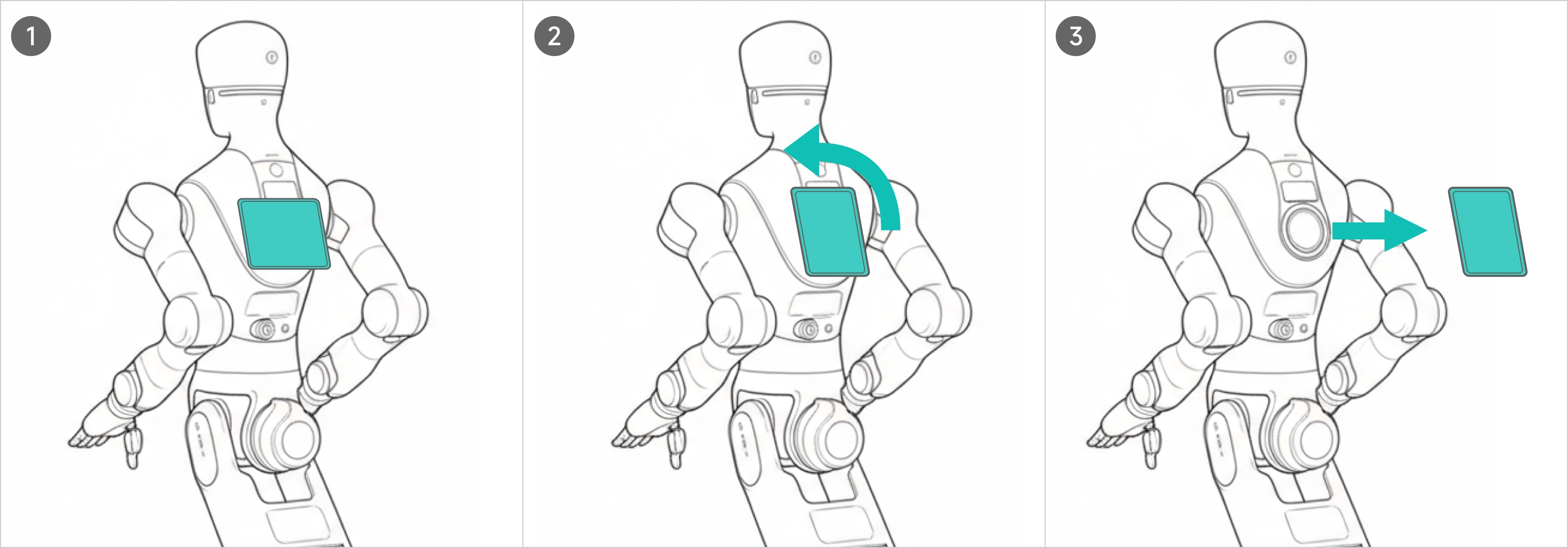
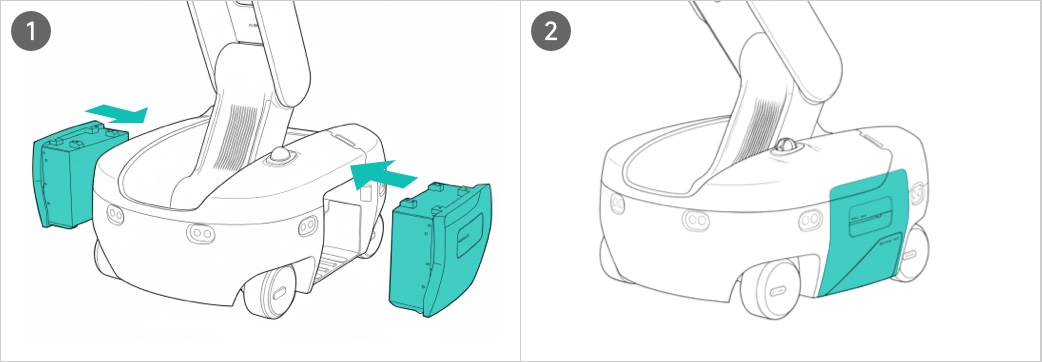
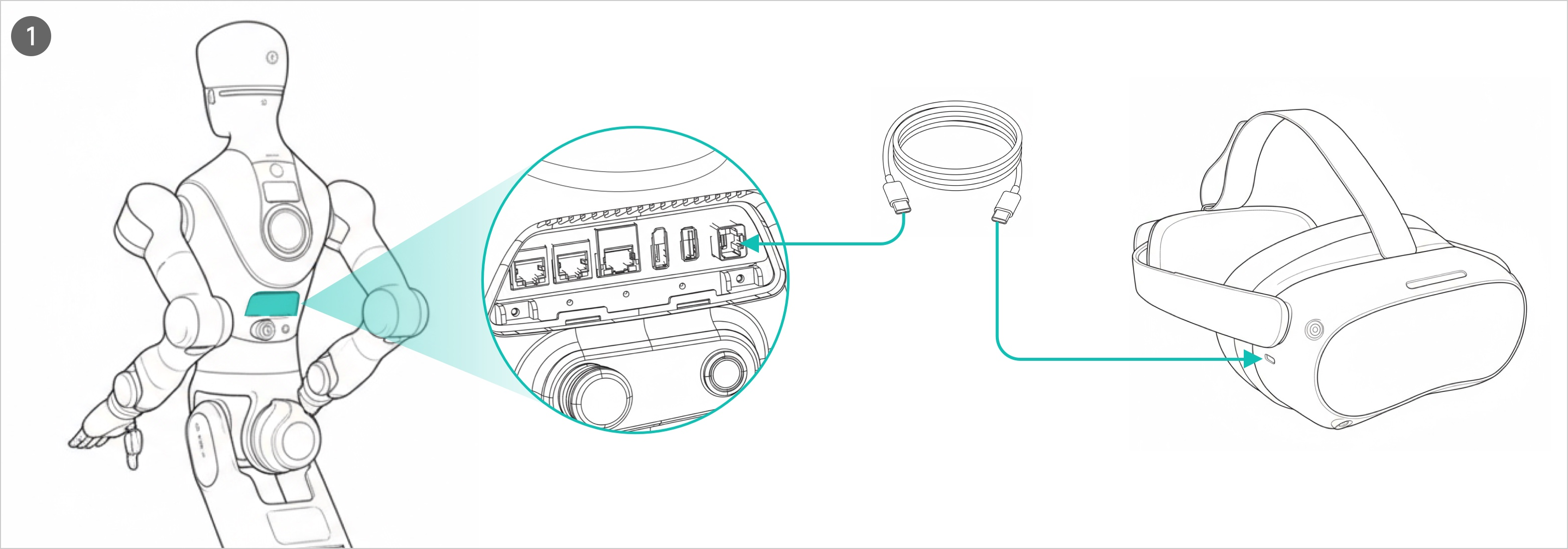
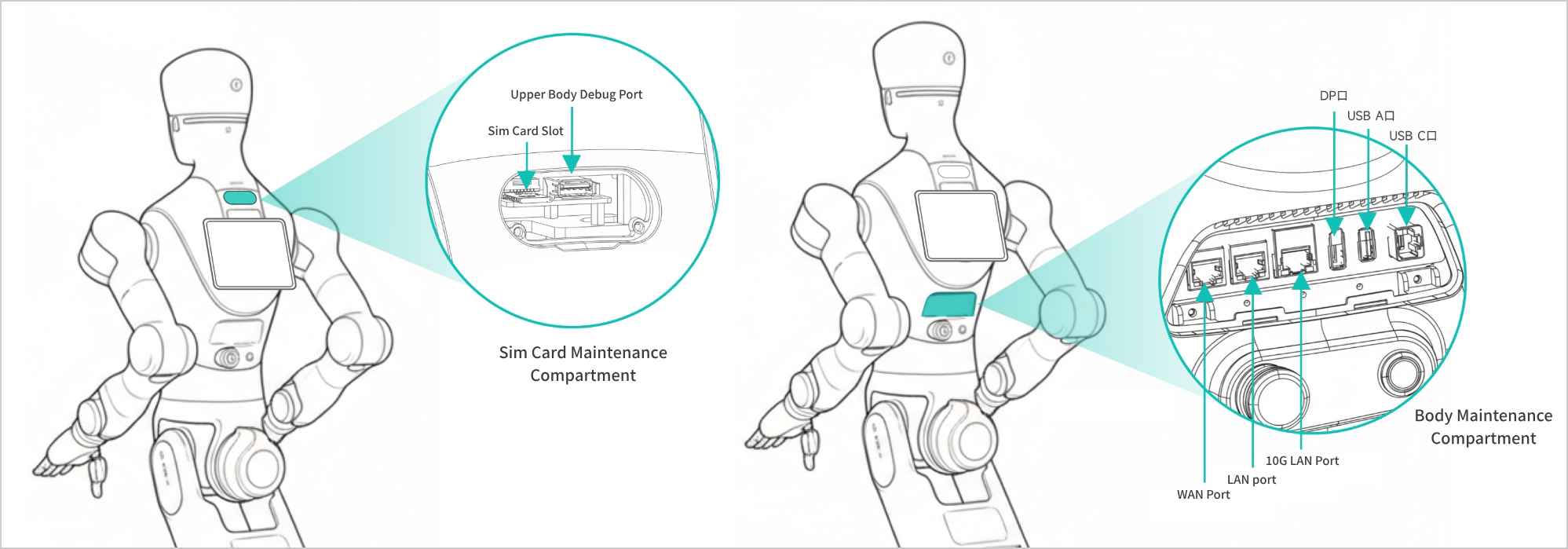
For advanced use, prepare a development computer, stable Wi-Fi or Ethernet, the official charger, a secured work area, an optional automatic charging dock and SDK access for the delivered configuration. Confirm what is included before ordering.
11. How to start the AGIBOT G2
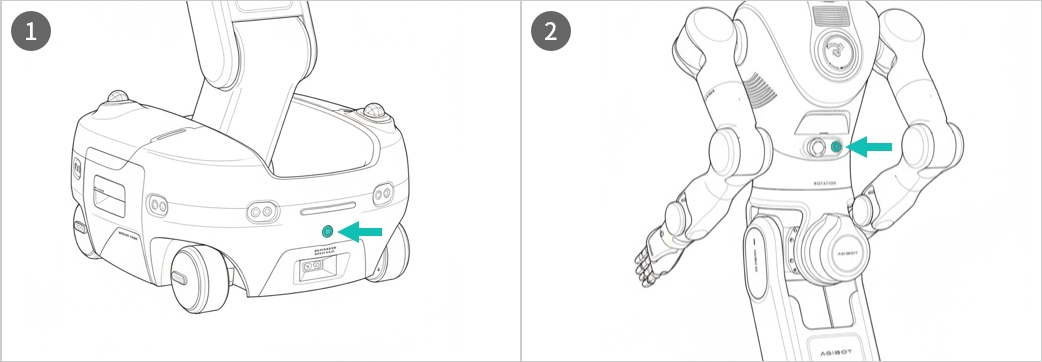
After safety checks and battery installation:
- Press the Power button at the rear of the base.
- Press the On/Off button on the back of the waist.
- Wait for startup to complete.
- Use the wireless terminal.
- Check for alarms before issuing a movement command.
Use only manufacturer-approved batteries and chargers. Do not move the robot during cable charging.
12. How to make the G2 move
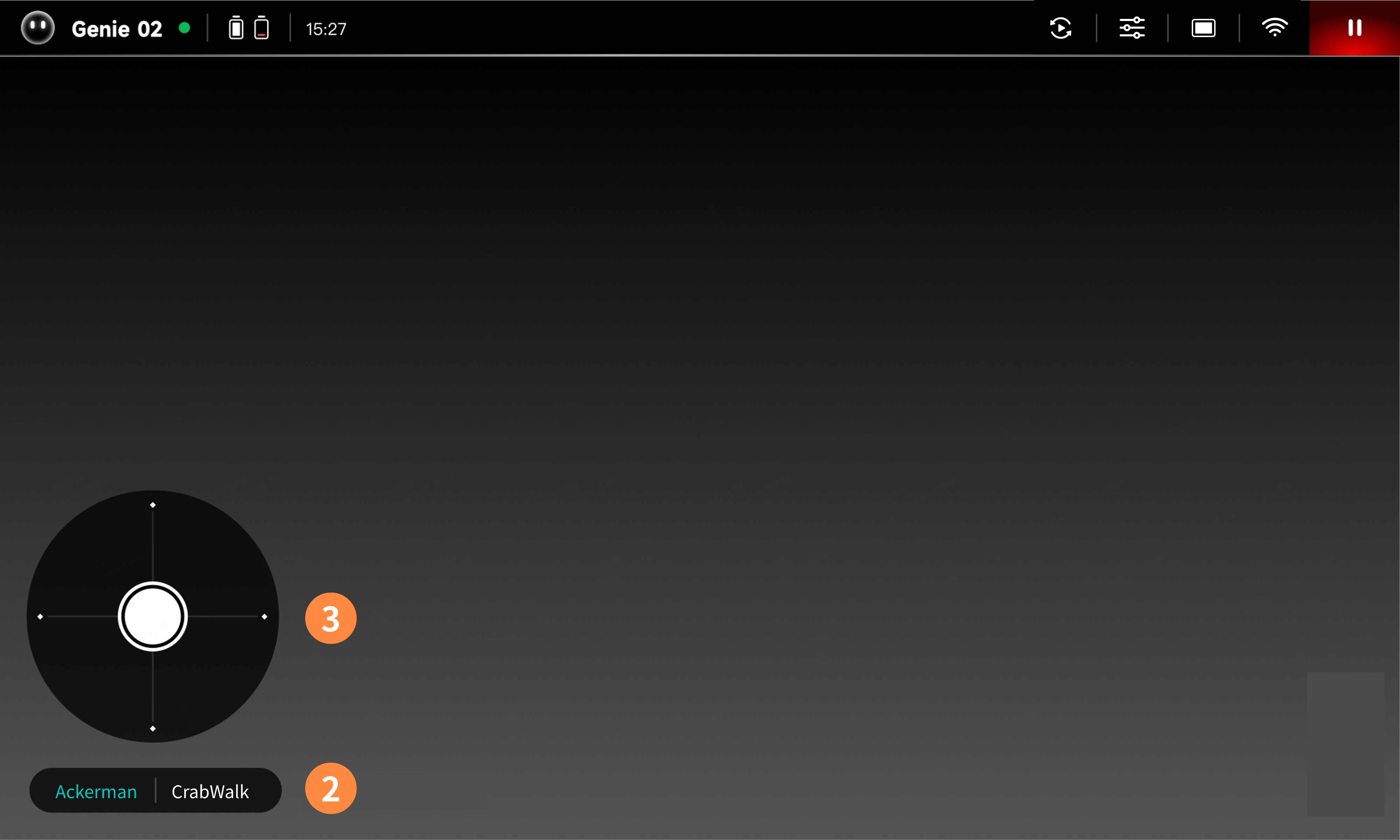
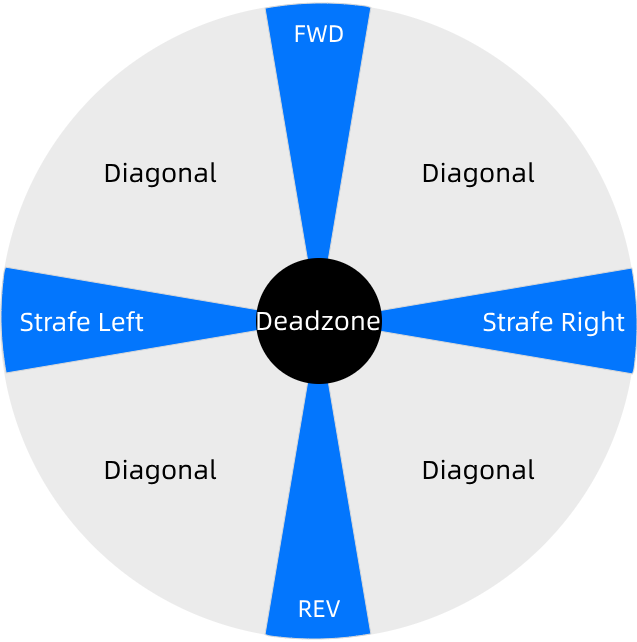
Open Remote Walking on the robot's terminal and use its virtual joystick. Ackermann mode provides forward and reverse travel and turns. Crab Steering allows sideways and diagonal motion.
13. How to make the AGIBOT G2 run
The G2 cannot run on two legs because all travel is provided by its wheeled base.
Respect the speed limit and use the manufacturer's approved movement modes.
14. How to make the G2 dance
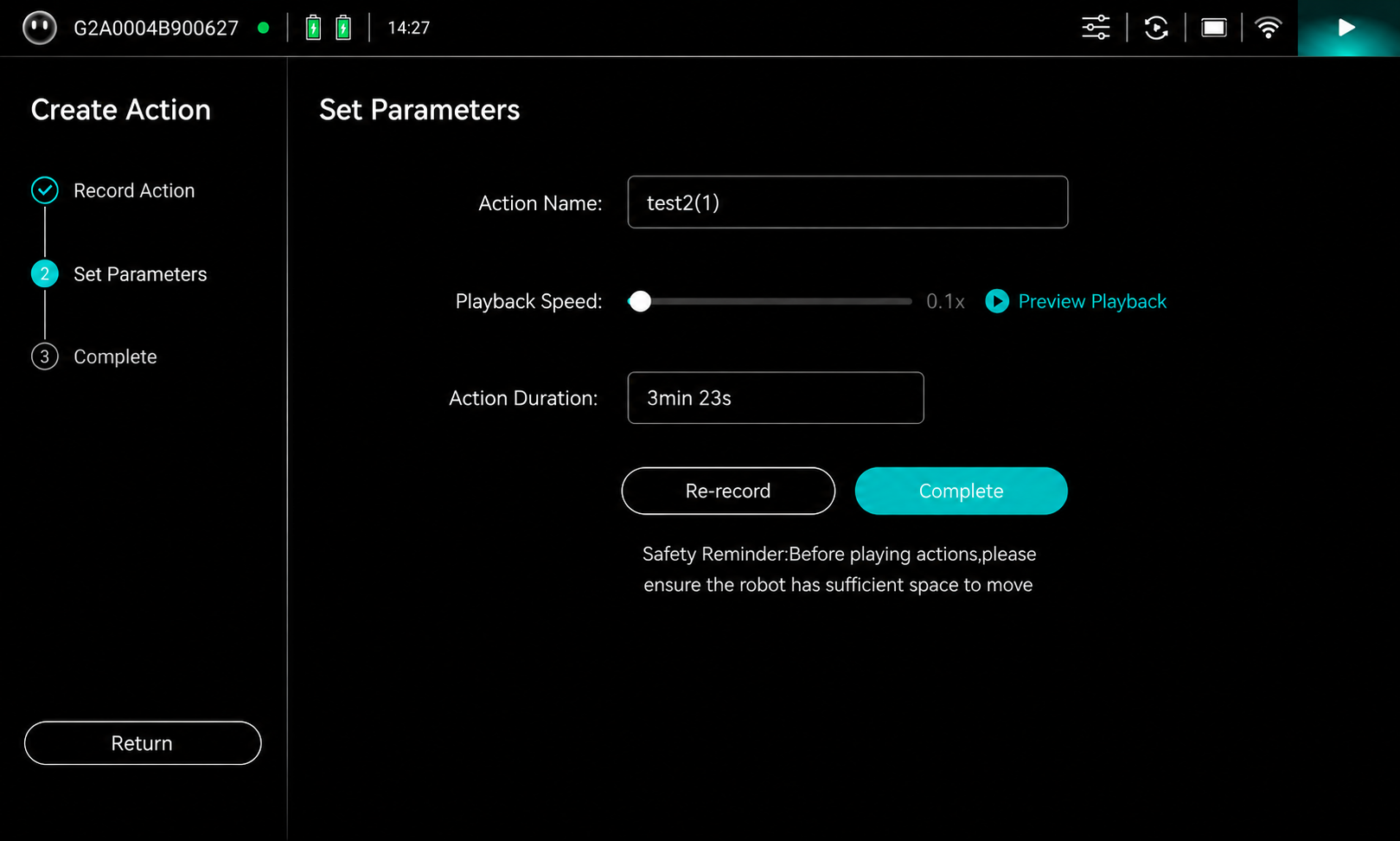
The G2 can record and replay movements using the official VR teleoperation workflow. Connect VR, open Interaction Resource Library and select Actions. Create a new action, record the movement, preview at reduced speed and save the sequence. Replay only in a clear operating area.
- Human movements
- VR headset and controllers
- Genie Link
- Record movement
- Preview
- Validate
- Robot choreography
Music synchronization can be developed separately. No universal automatic dance mode is confirmed for the G2.
15. How to control the joints
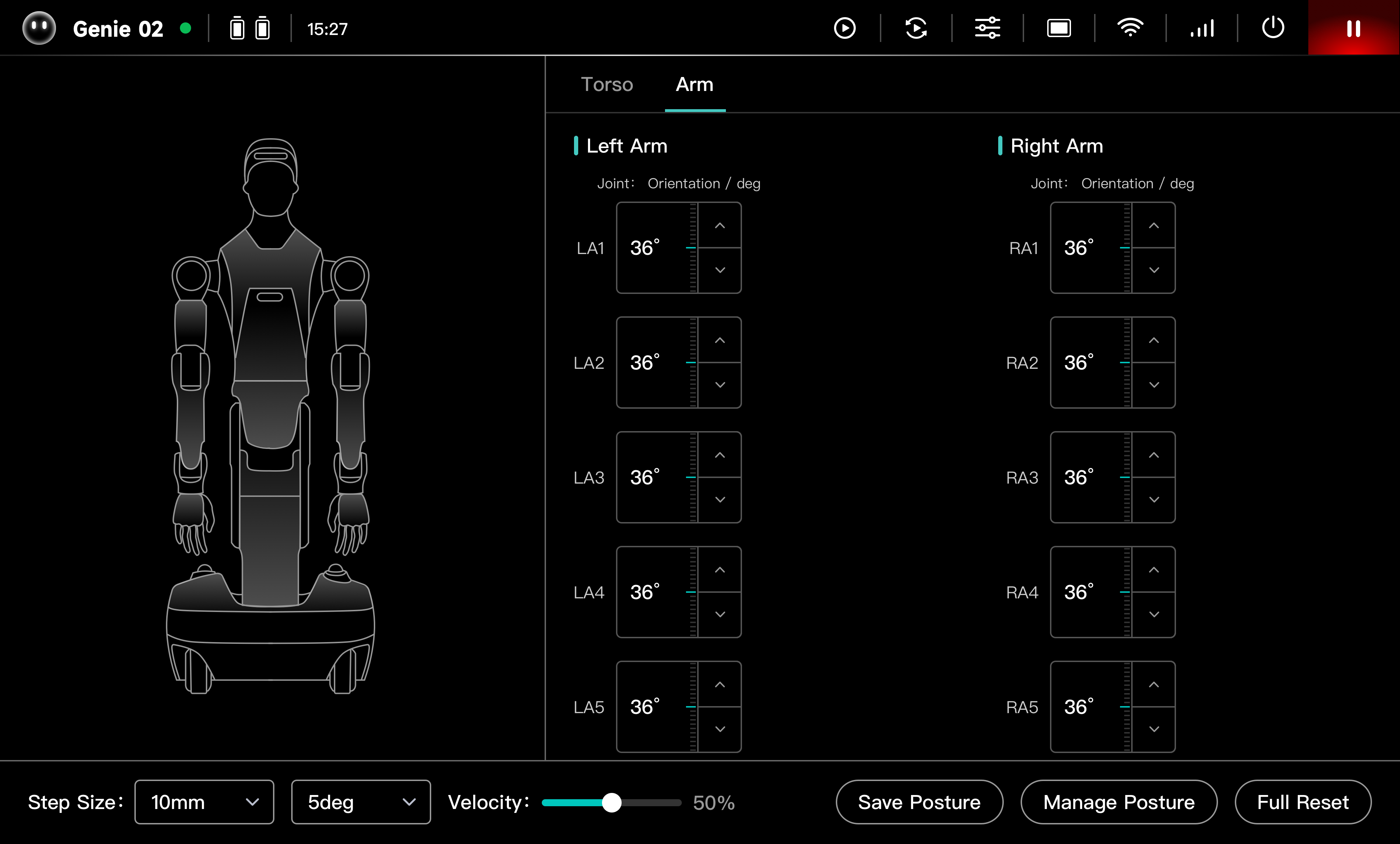
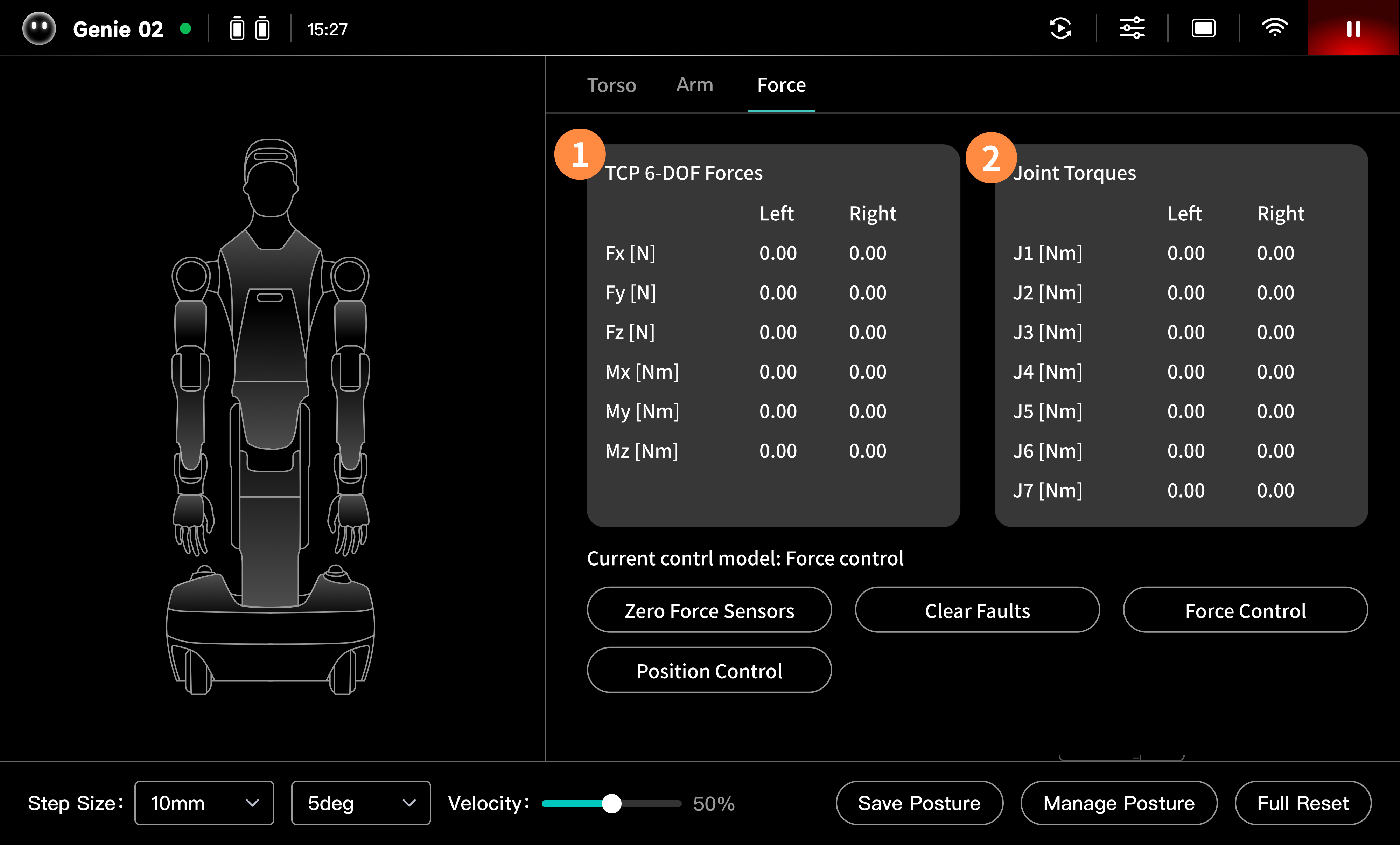
Joint Control selects the head, torso, arms and end effectors, adjusts motion and saves poses. The torque sensors monitor forces exerted during manipulation.
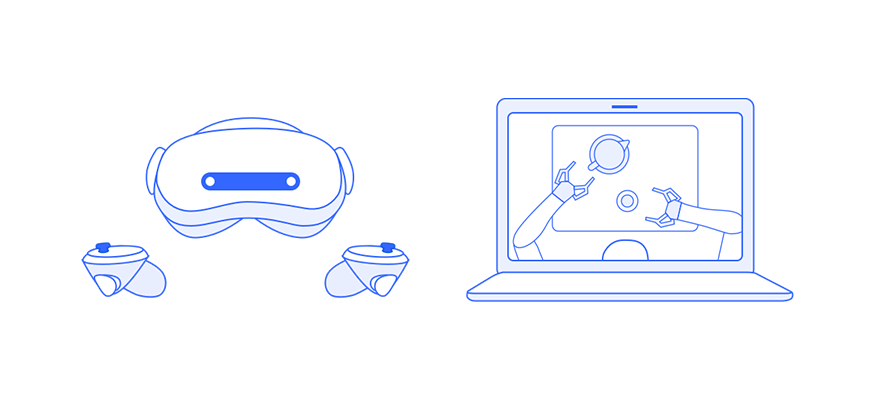
16. How to control the G2 with a VR headset
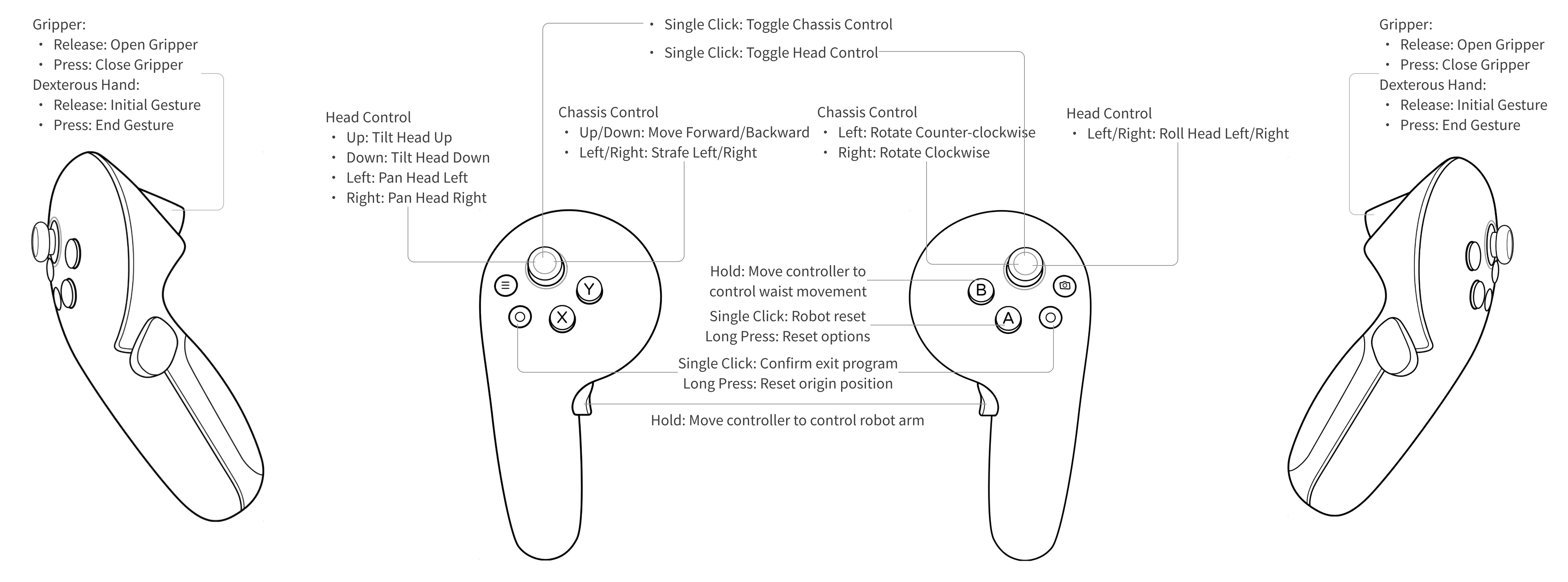
Genie Link connects the operator to the robot. The operator can control the arms remotely while receiving the robot's camera images. AGIBOT recommends 20 Mb/s of bandwidth per robot for video teleoperation.
17. How to program autonomous navigation
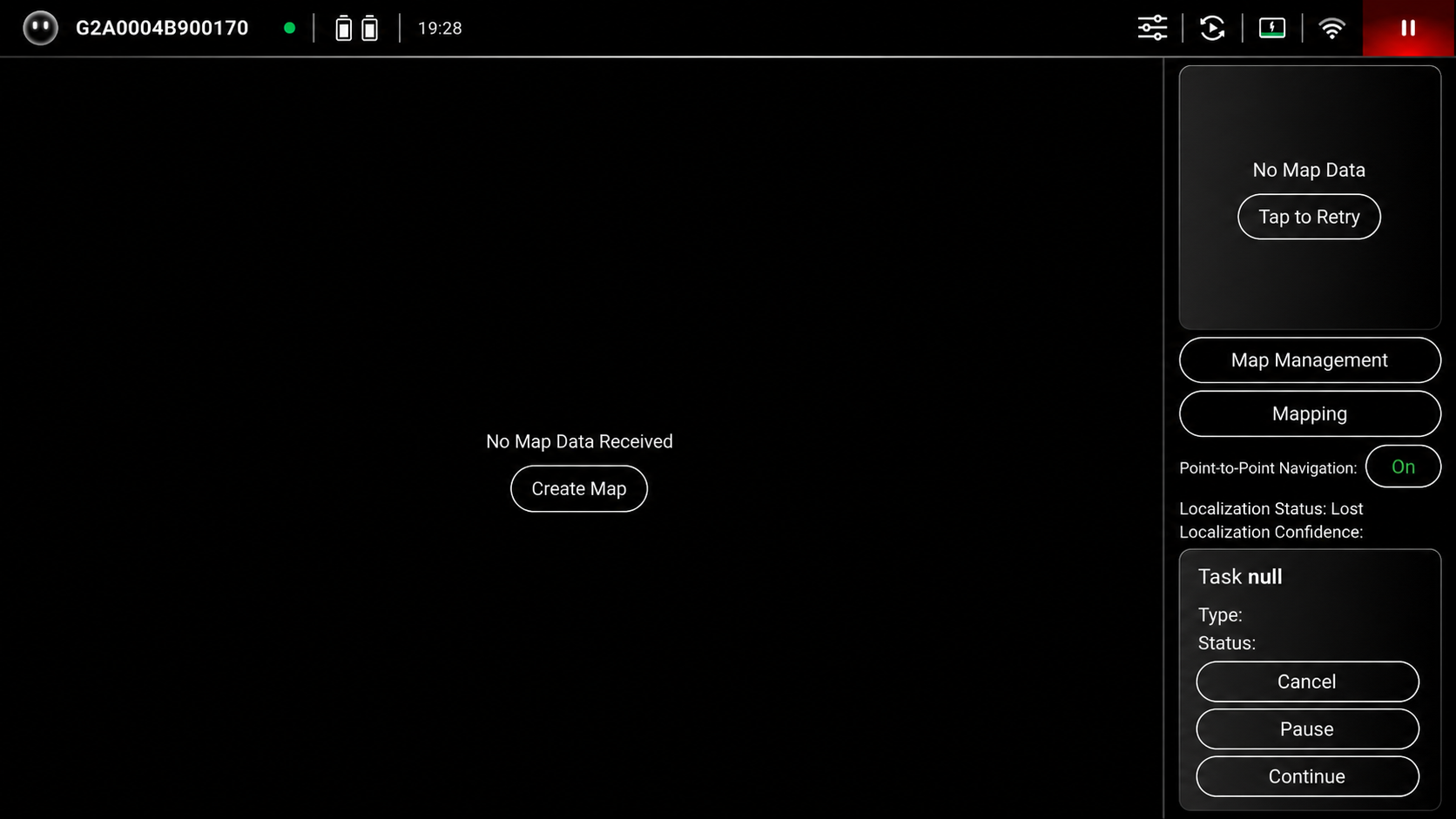
The integrated Map application can create a map, define navigation waypoints and add virtual barriers to restrict the robot's operating area.
- Create a map
- Explore the work area
- Save the map
- Define destinations and restricted areas
- Start autonomous navigation
18. Which software should you use?
| Software | Purpose |
|---|---|
| Genie Link | Teleoperation |
| Genie Studio | AI development and deployment |
| Genie Sim | Robot simulation |
| Genie RL | Reinforcement learning |
| LinkSoul | Voice interaction and personality |
| LinkCraft | No-code behavior creation |
| Developer Tools | SDK and documentation |
| Link-U OS | AGIBOT ecosystem operating system |
Genie Studio covers data collection, model training and deployment. Genie Sim provides simulation. LinkCraft creates robot behaviors without code; its current public catalog does not establish G2 compatibility. LinkSoul customizes voice and interaction. Confirm the compatibility of each platform, firmware and license with AGIBOT.

Platform addresses: genie.agibot.com/geniestudio, linksoul.agibot.com, linkcraft.agibot.com.
19. How to develop an application for the G2
- Collect data
- Train the model
- Simulate
- Test and validate
- Deploy under supervision
- Evaluate on G2
If tests fail, return to the training stage. Evaluation feeds the next data collection cycle.
Open Developer Tools on the robot's wireless terminal to access the official SDK interfaces and examples. Python or C++ applications can be developed from supported interfaces after obtaining the SDK documentation for the installed firmware. Do not assume a generic ROS or other robot's commands will work.
20. What can the AGIBOT G2 actually do?
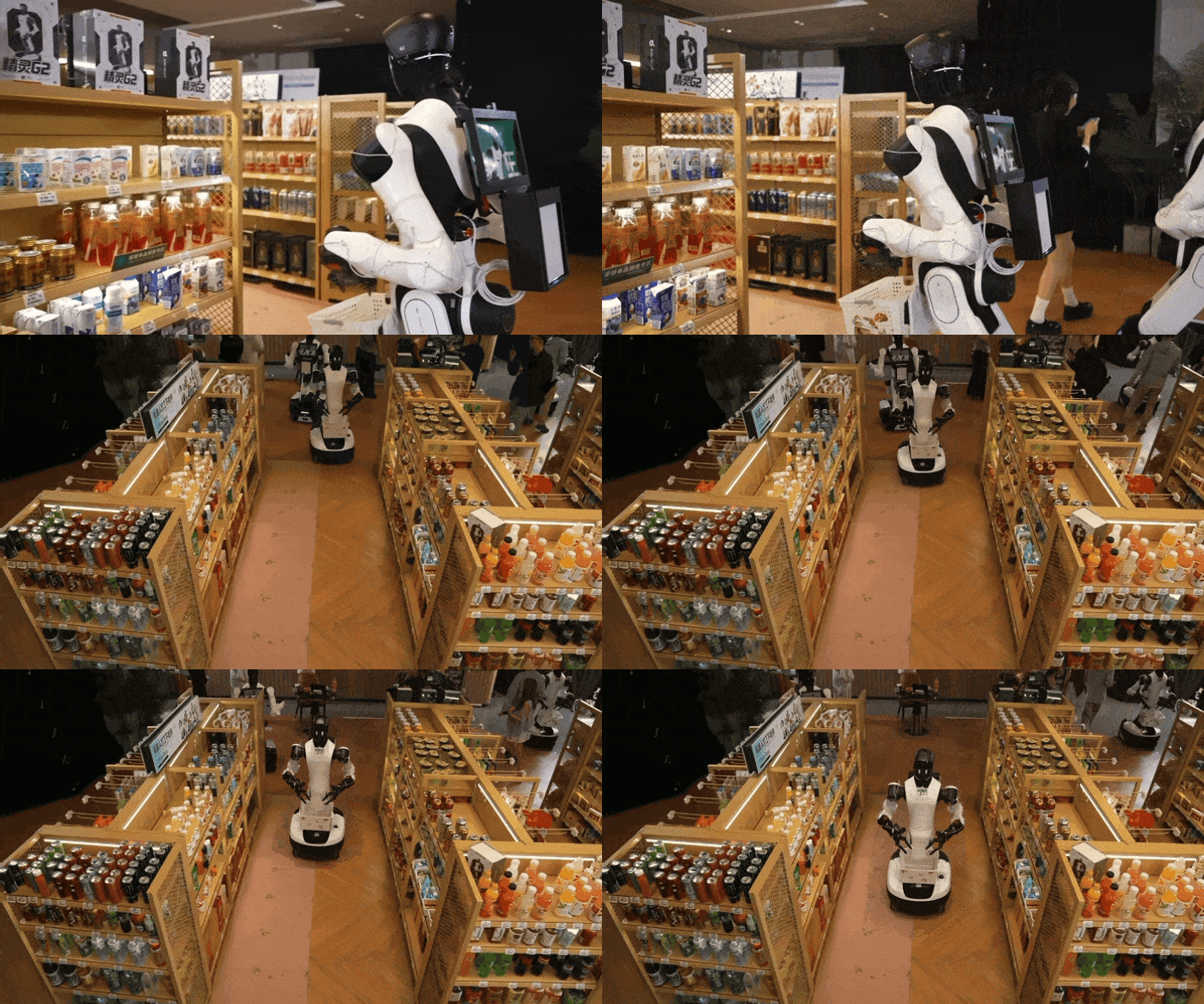
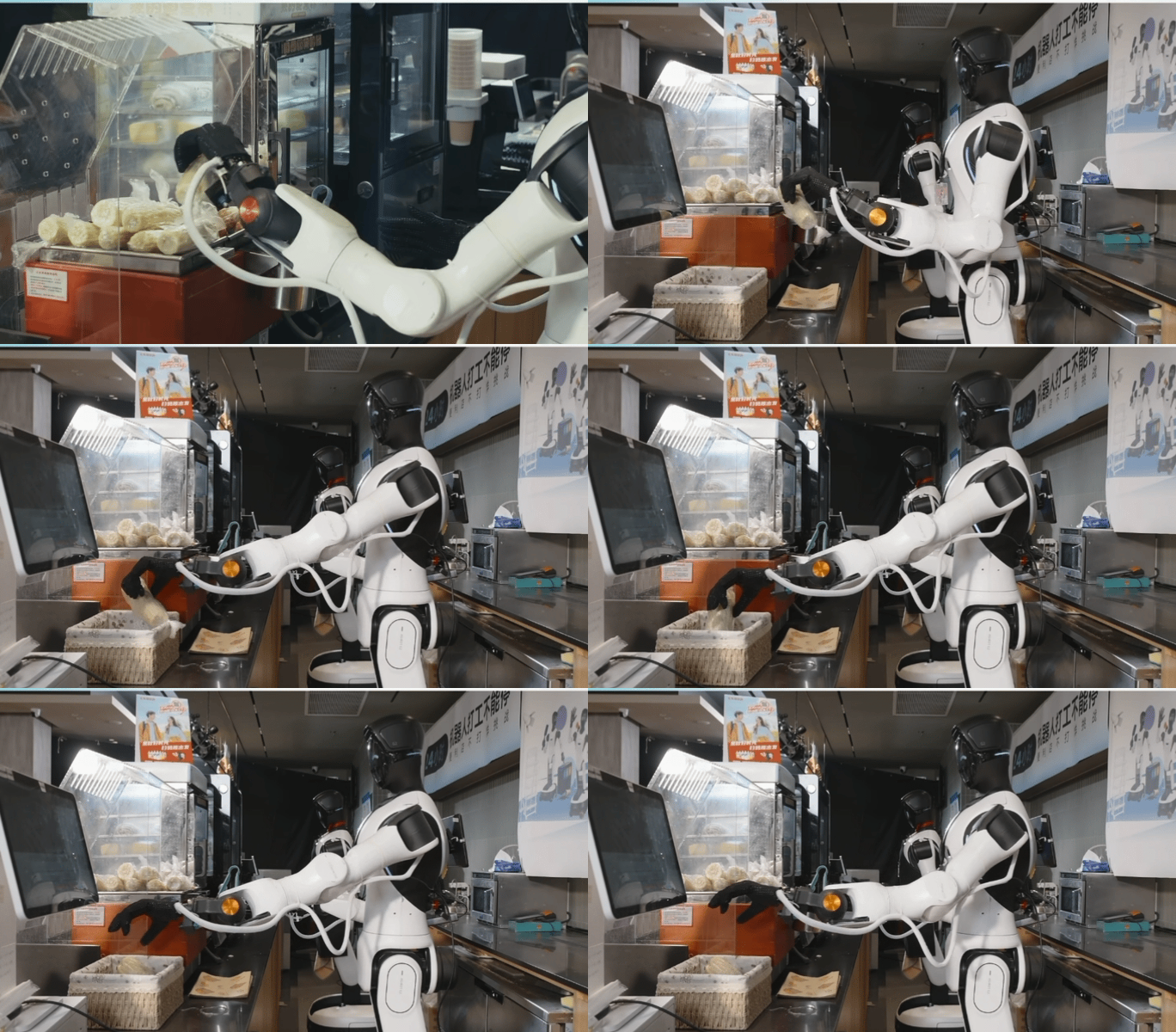
Between November 2 and 3, 2026, six G2 robots participated in a 24-hour trial in an operating convenience store in Shanghai. AGIBOT reported 1,730 completed tasks across the six robots.
Four robots passed the final assessment. Two did not meet all the criteria.
21. Official documentation
Manufacturer documentation and resources:
- AGIBOT G2 User Manual (July 30, 2026): www.agibot.com/filepage/296.html
- Official product page: www.agibot.com/products/G2
- Genie Studio: genie.agibot.com/geniestudio
- Official store: store.agibot.com
- Shanghai convenience store trial report: www.agibot.com/article/231/detail/134.html
- AGIBOT Partner Conference 2026: agibot.com/APC2026
- NVIDIA Jetson Thor announcement: agibot.com/article/231/detail/28.html
The G2 weighs 185 kg. Physical operation requires operator training, a secured work area and compliance with the manufacturer's emergency-stop procedures. Stop immediately if a fault occurs. Follow the latest user manual for the specific hardware and firmware.