Published specifications for A3 Ultra
- Height
- 174 cmCurrent A3 Ultra store table.
- Mass
- 60 kgCurrent store table; battery basis not specified.
- Battery runtime
- Up to 8 hManufacturer FAQ specifies equal time walking and standing; task and configuration affect runtime.
- Handling load
- Objects up to 5 kgItem-handling claim. Not a sustained whole-body or single-arm benchmark.
Not established for this configuration: Actuated joints.
Hardware and components
- Joints
- 7 DOF per arm, 6 per leg and 3 at the waist; up to 20-DOF Omnihands.
- Compute
- 700 TOPS; processor model and arithmetic precision are not identified.
- Power
- Dual battery bays, autonomous charging and a stated ten-second replacement.
- Perception
- LiDAR, chest and terrain depth cameras and three fisheye cameras.
Control and operating conditions
AGIBOT describes navigation and obstacle avoidance. Open interfaces and development versions are offered. The store warns that application workflows require integration and validation.
Ordering and access
The store quotes A3 Ultra on request. Configuration, delivery country, installation and schedule must be agreed with sales.
Manufacturer and development
AGIBOT was founded in Shanghai in 2023. Peng Zhihui is identified as co-founder, president and CTO. A3 Ultra was presented at WAIC 2026.
Questions specific to AGIBOT A3 Ultra
What belongs in a visitor-guidance trial?
Use the actual route and languages, recording interruption, obstacle response, emergency stopping, handover and docking behavior. A compute rating alone does not predict perception latency.
AGIBOT A3 Ultra: Complete Guide to Buying, Starting and Programming the Humanoid Robot
Manufacturer and developer records checked November 17, 2026. This guide separates available operating functions from experimental development.
1. What is the AGIBOT A3 Ultra?
The AGIBOT A3 Ultra, also called Expedition A3 Ultra, is a full-size humanoid robot built for professional applications, research and autonomous services. AGIBOT introduced it on July 18, 2026 at the World Artificial Intelligence Conference (WAIC) in Shanghai.
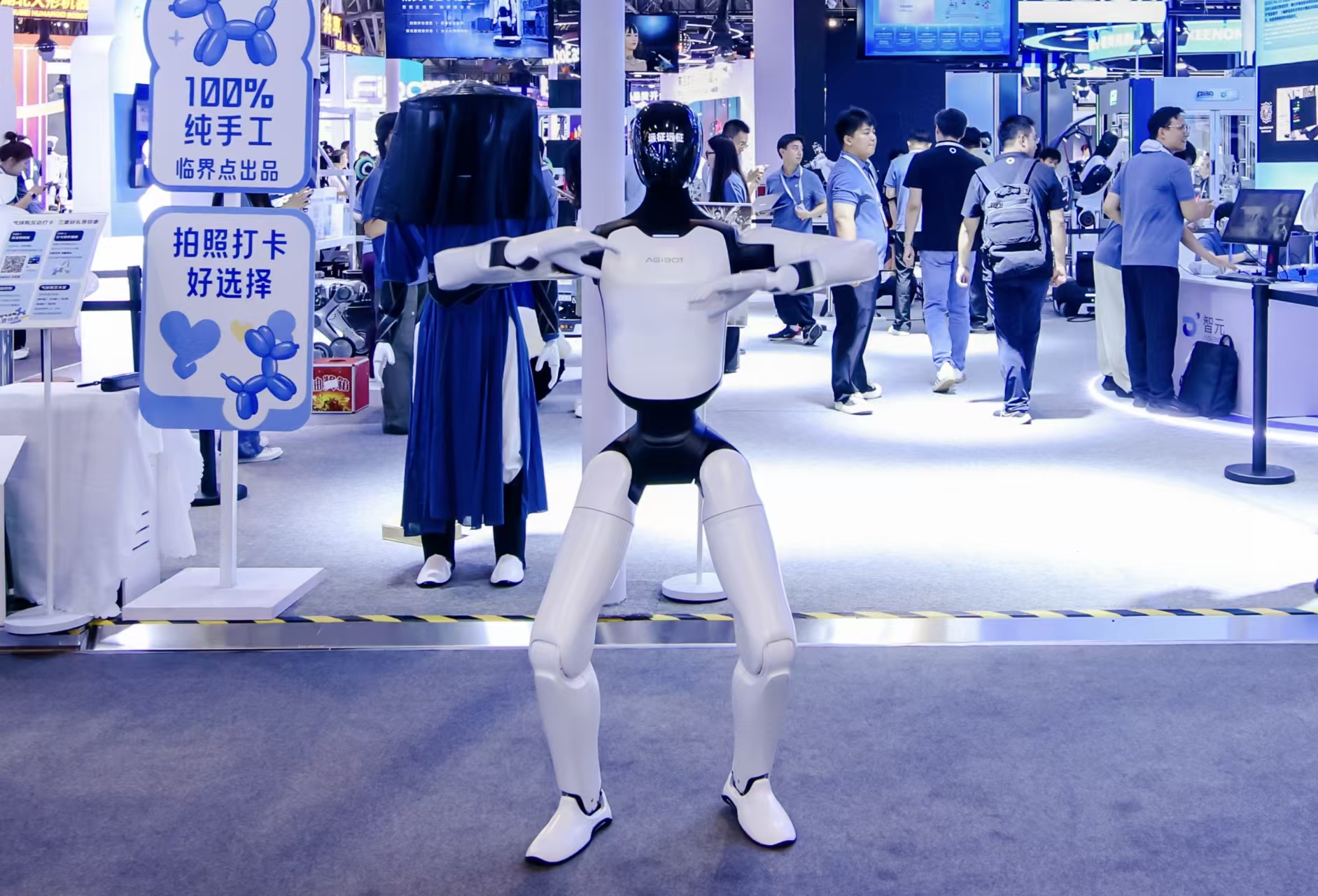
Its intended applications include:
- Visitor reception and guided tours
- Facility inspection
- Object manipulation
- Retail assistance
- Robotics data collection
- Artificial intelligence research
- Dancing and synchronized performances
Specific tasks can require application development, deployment and testing. The Ultra is distinct from the earlier standard A3.
2. Who created the AGIBOT A3 Ultra?

Peng Zhihui
Co-founder, president and chief technology officer of AGIBOT. Official portrait from AGIBOT's 2026 Partner Conference.
AGIBOT, also known as Zhiyuan Robotics, was founded in February 2023 in Shanghai, China. Its engineering team developed the Expedition A3 Ultra.
3. Technical specifications
| Specification | AGIBOT A3 Ultra |
|---|---|
| Height | 174 cm |
| Weight | 60 kg |
| Width | 52 cm |
| Depth | 30 cm |
| Active degrees of freedom | 51 |
| Joints per arm | 7 |
| Joints per leg | 6 |
| Waist degrees of freedom | 3 |
| Neck degrees of freedom | 2 |
| Peak knee torque | 320 Nm |
| Payload per arm | 5 kg |
| Advertised compute | 700 TOPS |
| Battery capacity | 1,152 Wh |
| Standard runtime | 8 hours |
| Charging time | Up to 2 hours |
| Battery replacement | 10 seconds |
| Announced maximum running speed | 5 m/s |
| Communication | Wi-Fi, Bluetooth, 4G and 5G |
The eight-hour endurance figure is based on a test split equally between walking and standing. Actual duration depends on speed, payload and usage conditions. Hand options vary by configuration.
4. Hardware architecture
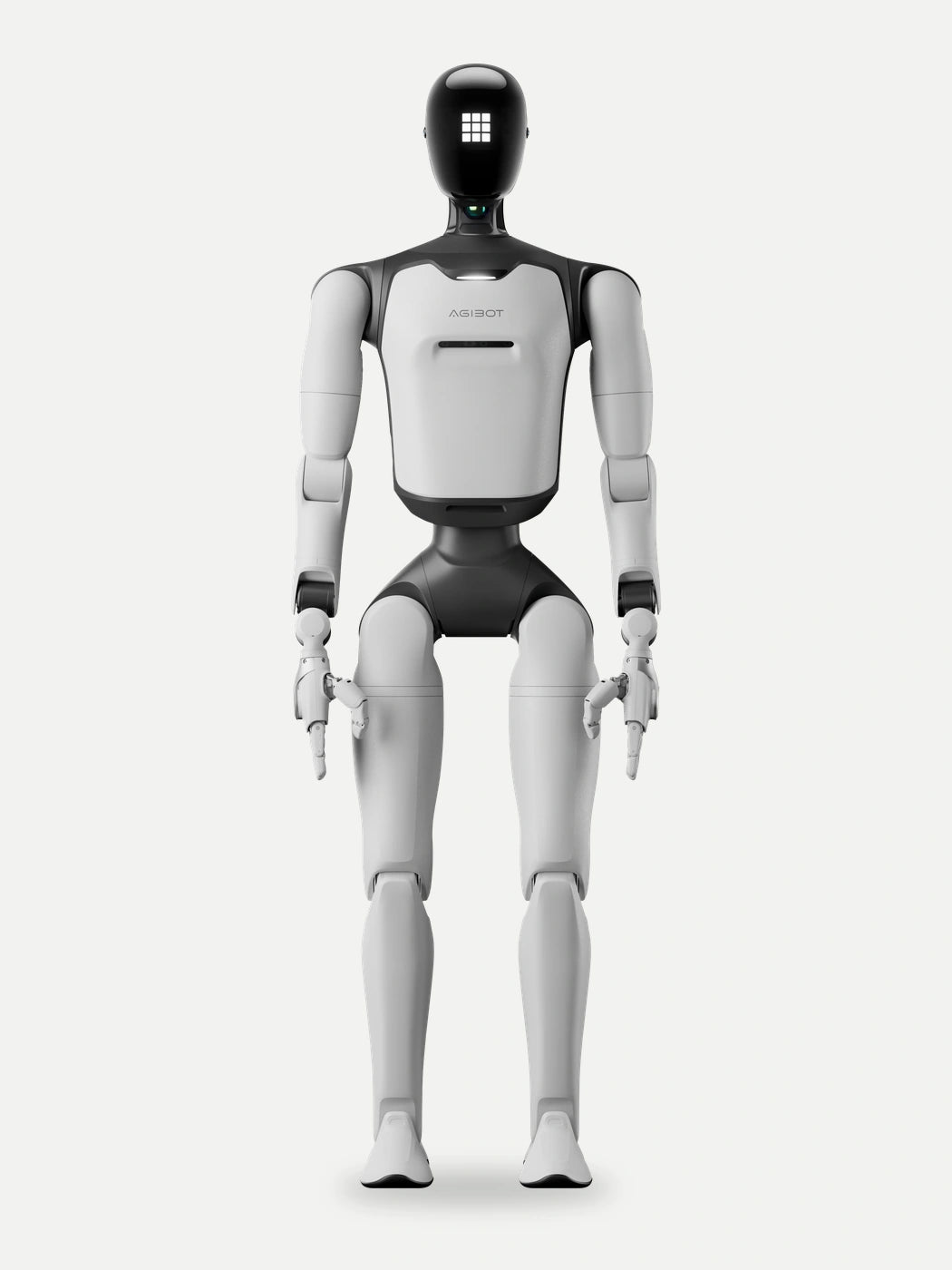
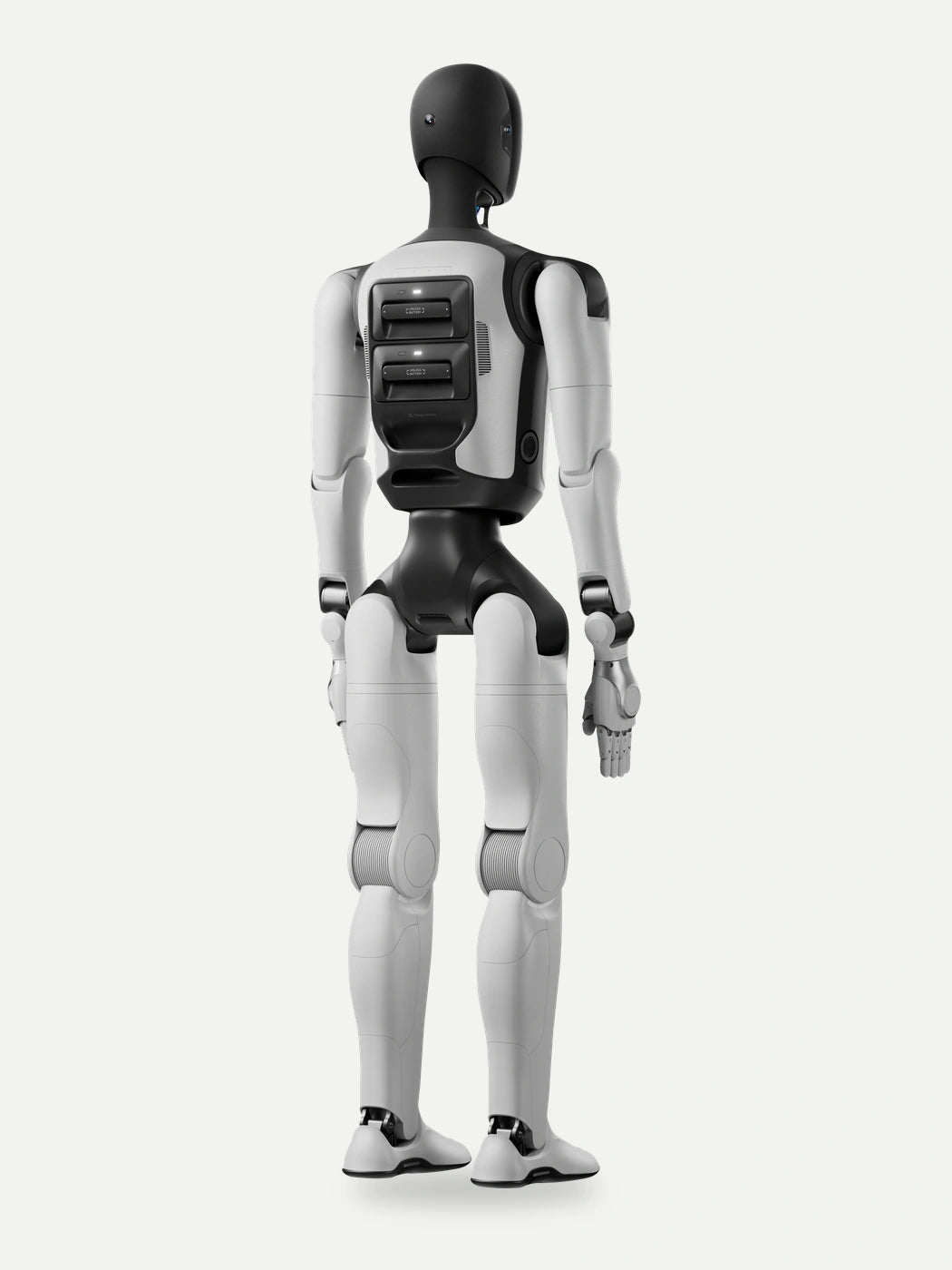
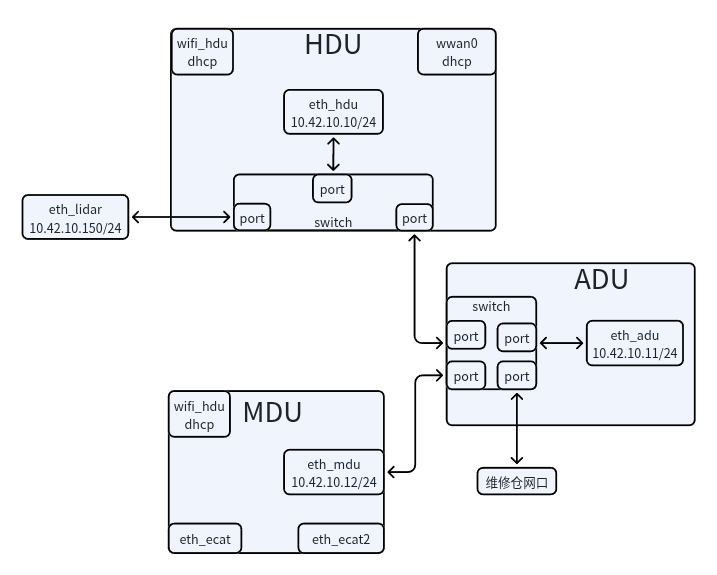
The robot contains three onboard computers:
| Computer | Processor | Role |
|---|---|---|
| HDU (Head Domain Unit) | Rockchip RK3588S2 | Interaction and communications |
| MDU (Motion Domain Unit) | Rockchip RK3588 | Motion control |
| ADU (AGI Domain Unit) | NVIDIA Thor | Embodied AI processing |
Simplified functional architecture; actual sensor routing and network interfaces are documented in AimDK.
This separation lets perception and motor control run on different computing units.
5. How much does the AGIBOT A3 Ultra cost?
AGIBOT does not publish a fixed price for this model. The price depends on hand configuration, software, developer access, shipping and technical support.
Official store: store.agibot.com/products/a3u.
6. How to order the robot
- Visit the official AGIBOT store.
- Select A3 Ultra.
- Choose Contact Sales.
- Provide your destination country and intended application.
- Ask for a configuration with AimDK developer access.
- Request an itemized quote for accessories, shipping, training and warranty.
For delivery to Morocco, request written confirmation of technical support and spare-parts availability.
7. What equipment do you need?
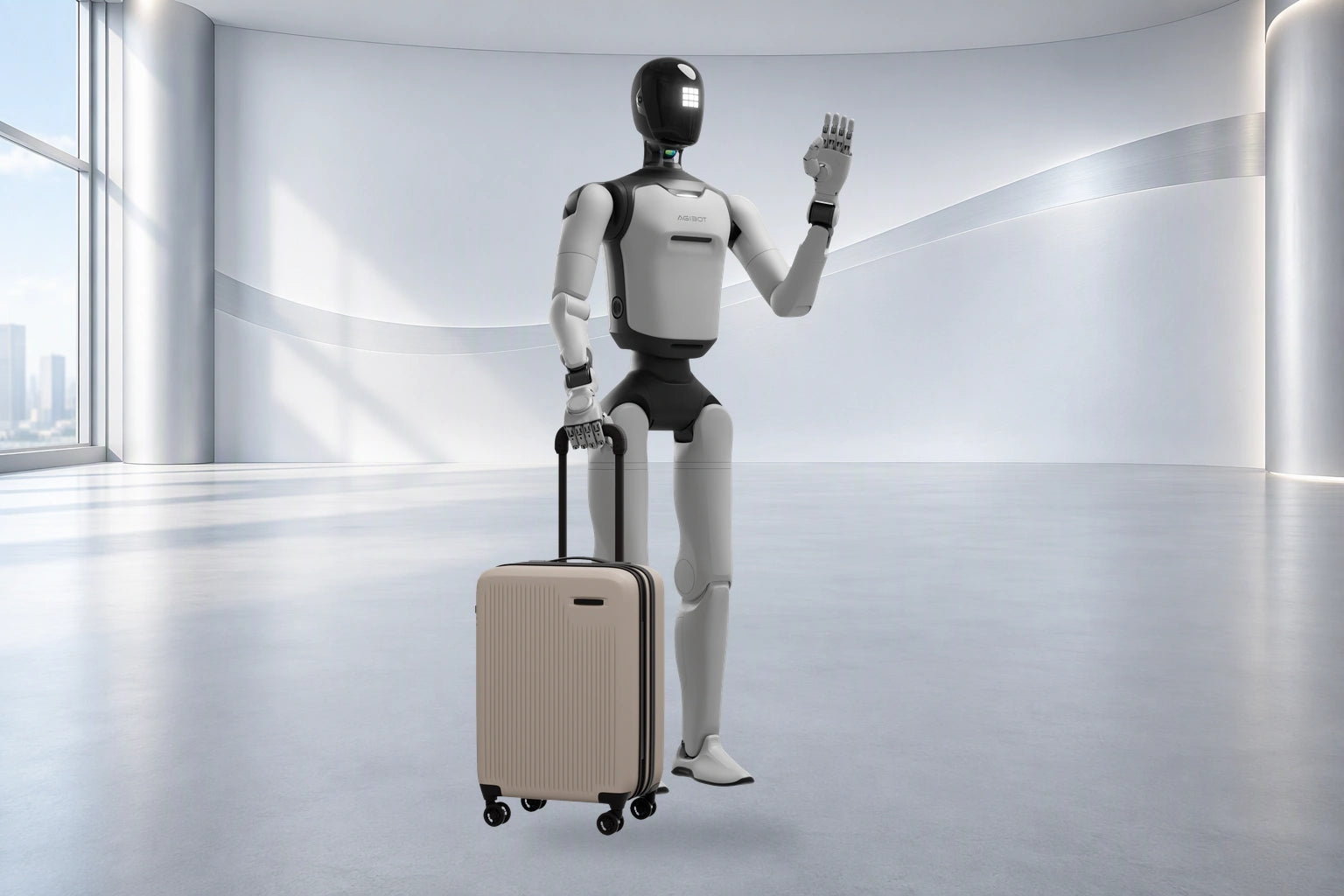
Compatible wireless handheld controller
For manual locomotion and the first supervised movements.
Equipment schematic.
Charging station
For extended operation and autonomous charging when equipped.
Equipment schematic.
Linux workstation
For application development and simulation.
Equipment schematic.
Safety gantry and fall-arrest restraint
For supervised experimental motion tests.
Equipment schematic.
Check that the charger, batteries, documentation and accessories match the exact hardware generation being ordered. Ask which items are included.
8. How to start the AGIBOT A3 Ultra
- Inspect the robot for mechanical damage.
- Install and check batteries according to the manual.
- Clear the area surrounding the robot.
- Locate the emergency-stop devices.
- Power on the robot.
- Connect the handheld controller and AimMaster.
- Perform system checks.
- Use the manufacturer's supported standing procedure.
- Select the permitted motion mode.
- Power on
- System diagnostics
- System operational?
- Yes: initialize
- Supported standing procedure
- MOTION state
- Walking and movements
If diagnostics indicate an error, stop and diagnose the fault before proceeding.
The A3 Ultra has a physical power switch and a preinstalled motion-control program. The precise button sequence must come from the manufacturer's user manual for the delivered generation. Follow the approved setup procedure rather than attempting unsupported state transitions. Keep an approved safety support and emergency stop available.
9. Which software should you use?
| Software | Purpose |
|---|---|
| AimMaster | Robot configuration and operation |
| AimDK | Application development |
| LinkCraft | Movement and choreography creation |
| LinkSoul | Interaction and robot personalities |
| LinkBots | Multi-robot coordination |
| ROS 2 | Inter-module communication |
| Python | Application programming |
| C++ | Advanced control and development |
| MuJoCo | Physics simulation |
| NVIDIA Isaac Sim | 3D simulation |
| RViz | Joint and robot visualization |
| MoveIt | Motion planning |
| SONIC | Whole-body control research |
AimDK v3.3 documents the interfaces for A3 Ultra software version 3.3.x. Check the installed version before selecting the SDK.
10. How to connect your computer to the robot
Connect the development computer and the robot to the same network. In AimMaster, obtain the robot's Wi-Fi IP address in the WLAN settings.
Connect via SSH using the credentials supplied by AGIBOT:
ssh agi@ROBOT_IP_ADDRESSCreate a Python virtual environment on the HDU:
mkdir -p /agibot/data/home/agi/Desktop
cd /agibot/data/home/agi/Desktop
python3 -m venv mydev
source mydev/bin/activate
For development on the ADU running ROS 2 Jazzy, load the ROS environment:
source /opt/ros/jazzy/setup.bashOfficial quick-start guide: open.agibot.com/docs/en/aimdk/a3-ultra/v3_3/dev_guide/06-second_develop_quick_start.
11. How to make the AGIBOT A3 Ultra walk
Method 1: handheld controller
- Bring the robot to its supported standing position.
- Select the locomotion mode.
- Start at low speed on a clear, level surface.
- Use the supported directional controls to move and turn.
Method 2: ROS 2 programming
The official locomotion topic is:
/motion/control/locomotion_velocityDocumented example message structure:
{
  "data": {
    "mode": "MotionControl_LocomotionMode_DEFAULT",
    "forward_velocity": 0.1,
    "lateral_velocity": 0,
    "angular_velocity": 0
  }
}
In v3.3 the three velocity fields are normalized factors between -1 and 1. They are not direct values in metres per second. The motion controller calculates the actual speed. The SDK includes this example:
examples/mc/walk.pyThe ROS 2 interface requires the MOTION state and the SDK's ros2_plugin_proto/msg/RosMsgWrapper message type. Test in simulation before physical use. This JSON is a message illustration, not a standalone runnable controller.
- Operator or ROS 2 application
- Velocity command
- MDU motion controller
- Joint actuators
- Walking and balance feedback
12. How to make the robot run
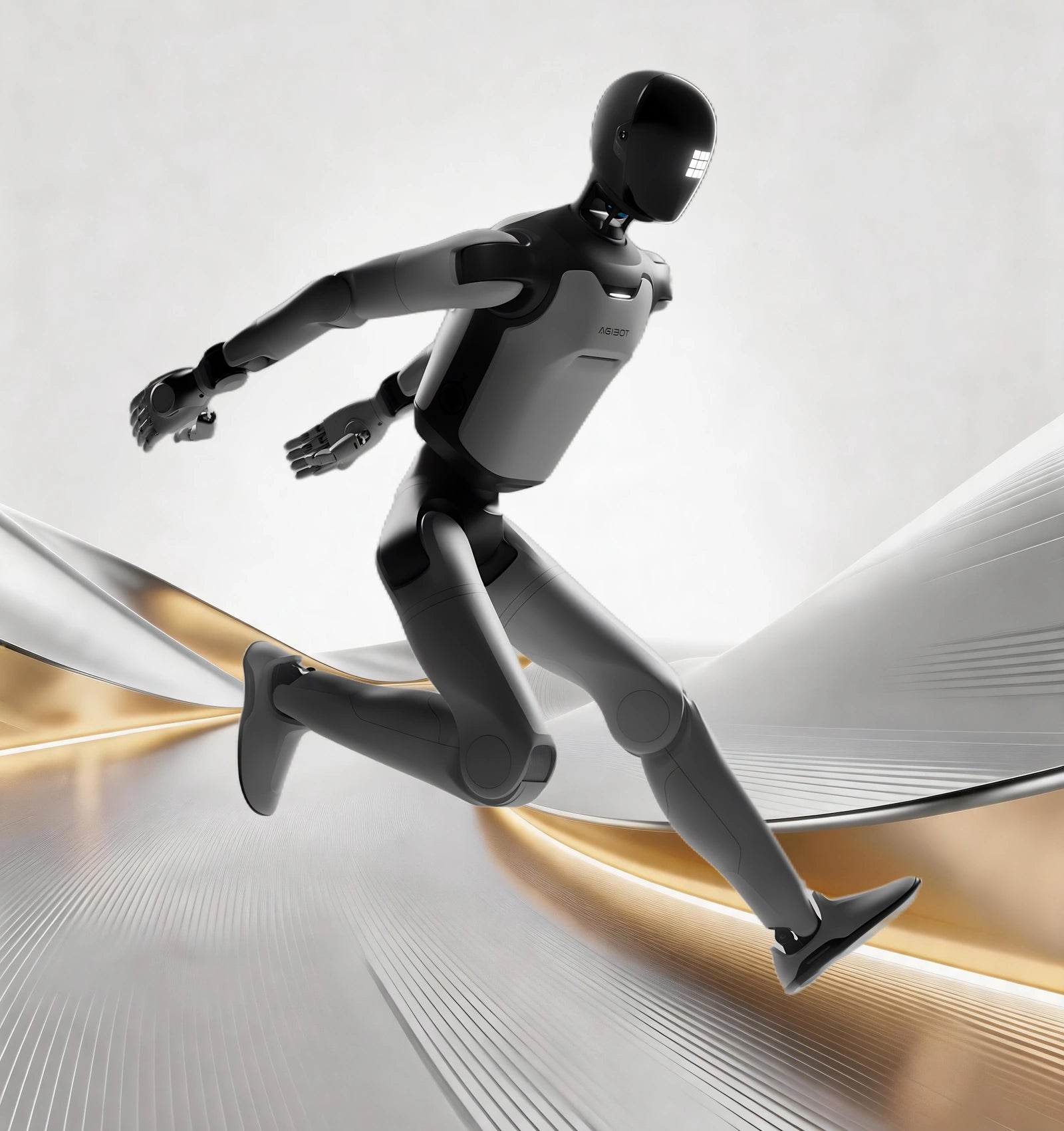
The announced top speed of 5 m/s equals 18 km/h. It is a manufacturer specification rather than a guarantee under every operating condition.
To develop a custom running gait, prepare:
- A physical robot model
- A dynamic locomotion controller
- Foot trajectories
- Balance estimation
- A physics simulation
- Validation with fall protection
Public documentation consulted does not establish a single command guaranteed to make this robot run at 5 m/s.
13. How to make the AGIBOT A3 Ultra dance
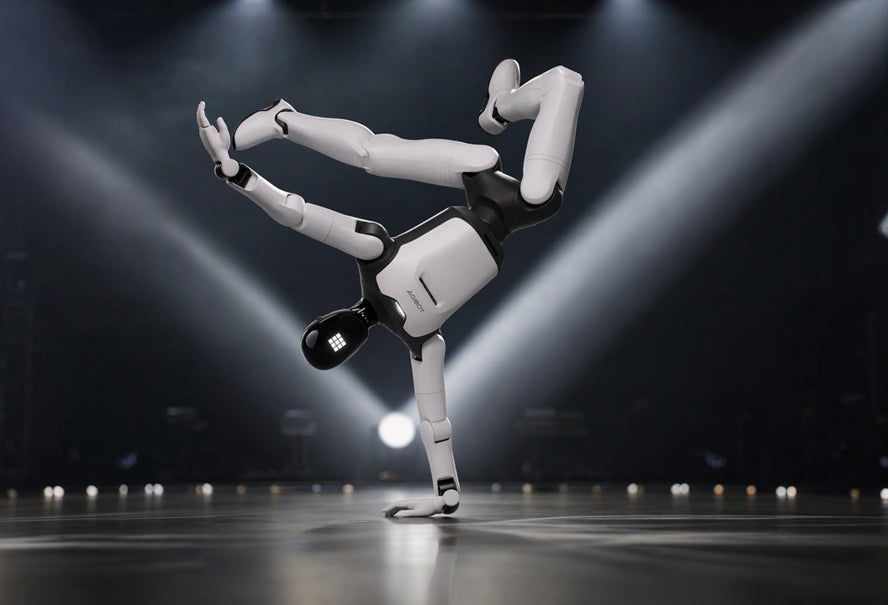
Use an existing dance in AimMaster
- Open Skills.
- Go to Talent.
- Select a compatible dance.
- Check the space around the robot.
- Start the performance under supervision.
Create a new choreography with LinkCraft
LinkCraft offers Motion Imitation and Motion Imitation Pro for creating motion from videos. Platform: linkcraft.agibot.com.
- Human movement video
- Motion extraction
- Retargeting to robot skeleton
- Choreography validation
- Preview
- Compatible robot
Confirm the A3 Ultra model and firmware compatibility before sending a creation to the robot.
14. How to program the arms, hands and head
| Function | ROS 2 topic |
|---|---|
| Arm movement | /motion/control/arm_joint_command |
| Arm state | /motion/control/arm_joint_state |
| Waist movement | /motion/control/move_waist |
| Head movement | /motion/control/neck_joint_command |
| Finger commands | /motion/control/hand_joint_command |
| Finger state | /motion/control/hand_joint_state |
The SDK also provides Python examples:
examples/mc/arm.py
examples/mc/neck.py
examples/mc/hand.py
examples/mc/joint_state.py
examples/mc/move_waist.py
Independent joint control must be coordinated with the onboard motion player to avoid competing commands. Confirm the appropriate operating state, documented joint limits and software ownership of commands before testing.
15. How to simulate the robot without buying it
AGIBOT publishes digital models for the A3 and A3 Ultra.
git clone https://github.com/AgibotTech/A3-A3U-robot-model.gitThe repositories include:
- STL mesh files
- URDF robot descriptions
- MJCF models for MuJoCo
- RViz configurations
- SRDF motion-planning models
Both A3 Ultra T2.5 and T3.0 are available. The model repository supplies digital assets rather than a complete walking controller.
For NVIDIA Isaac Sim:
git clone https://github.com/AgibotTech/A3_Ultra_usd.gitThe USD repository contains geometry, masses, inertias and physics parameters for A3 Ultra T3D0.
- Download the official A3 Ultra model
- Select the hardware generation
- Load URDF or MJCF in the appropriate tool, or USD in Isaac Sim
- Inspect joints and physical properties
- Add and test a controller
The static model files alone do not supply a working controller.
16. How to train your own artificial intelligence
AGIBOT publishes a SONIC adaptation for whole-body control.
git clone https://github.com/AgibotTech/sonic_for_a3.gitIt provides a research workflow for motion-policy training, MuJoCo simulation and deployment using ONNX or RKNN models.
- Motion data
- Retarget to the robot
- Training
- Control policy
- MuJoCo simulation
- Validation
- Supervised experimental deployment
Repeat simulation testing after failed validation. Use a suitable fall-arrest system for real-robot trials.
The public model supports A3 Ultra, but fast running and some acrobatic motions are outside its documented validation scope. Simulation success cannot guarantee safe physical execution.
17. Learning roadmap for a beginner
| Step | Goal |
|---|---|
| 1 | Learn Python and Linux |
| 2 | Understand ROS 2 |
| 3 | Download the A3 Ultra model |
| 4 | Install MuJoCo |
| 5 | Visualize the joints |
| 6 | Test locomotion in simulation |
| 7 | Program arm movements |
| 8 | Create a choreography in LinkCraft |
| 9 | Study SONIC and reinforcement learning |
| 10 | Validate applications on the physical robot with supervision |
You can start developing for A3 Ultra before owning the physical robot.
18. Official resources and documentation
Manufacturer and developer records checked November 17, 2026:
- AGIBOT product page: www.agibot.com/products/A3Ultra
- Official store: store.agibot.com/products/a3u
- WAIC launch announcement: www.agibot.com/article/231/detail/85.html
- AimDK A3 Ultra v3.3: open.agibot.com/docs/en/aimdk/a3-ultra/v3_3/dev_guide
- LinkCraft: linkcraft.agibot.com
- SONIC: github.com/AgibotTech/sonic_for_a3
- URDF and STL models: github.com/AgibotTech/A3-A3U-robot-model
- NVIDIA Isaac Sim model: github.com/AgibotTech/A3_Ultra_usd
Images are manufacturer-supplied A3 Ultra imagery or labelled technical diagrams. Reported specifications are manufacturer claims and not independent test results.