Boston Dynamics Atlas: Complete buying, setup and programming guide
A guide to the 2026 electric industrial Atlas, from purchasing and commissioning to locomotion, dance and robot learning.
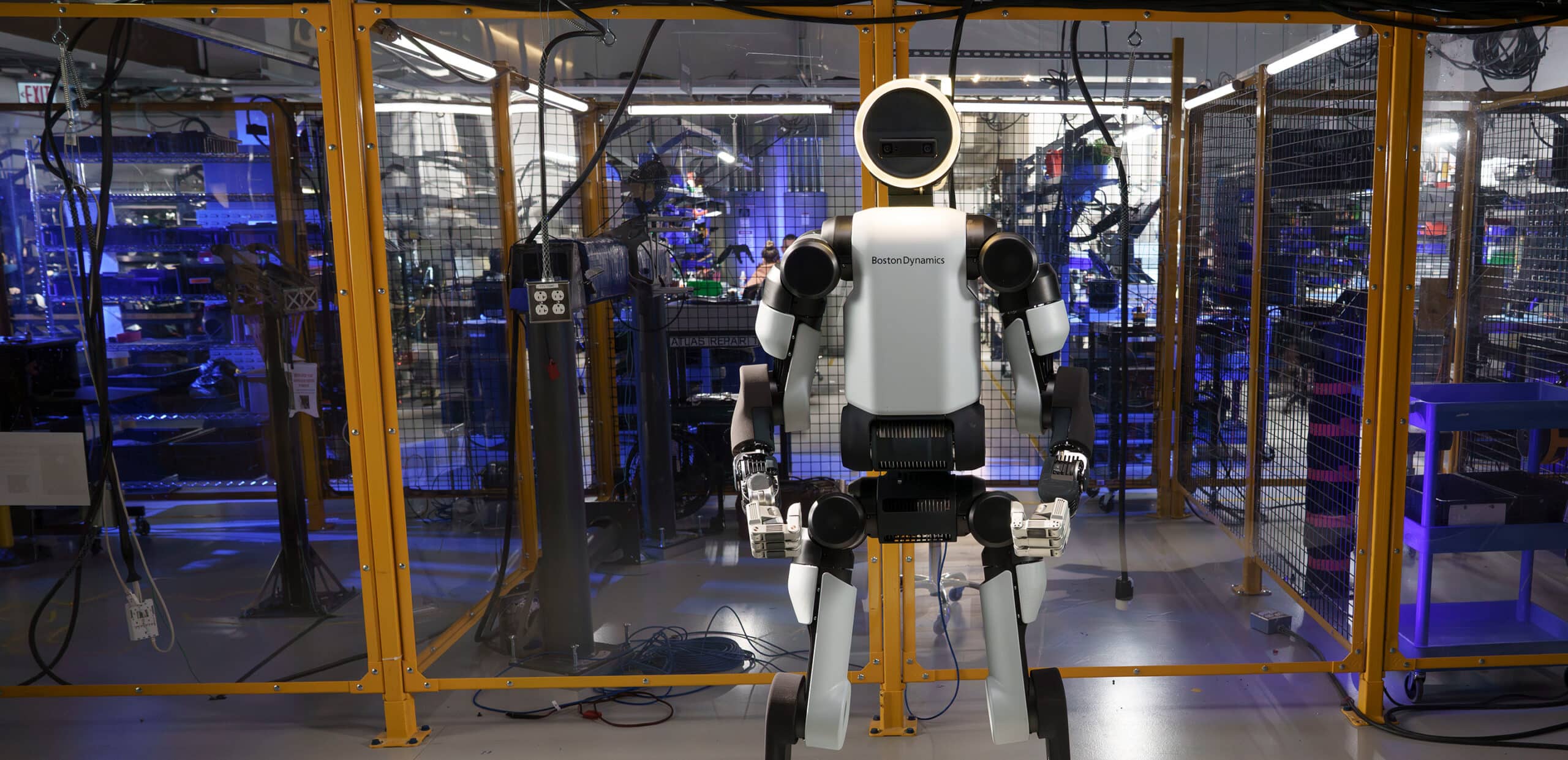
1. What is Boston Dynamics Atlas?
Atlas is an electric humanoid robot developed in the United States for industrial work in factories and warehouses. The commercial version was presented on January 5, 2026 at CES in Las Vegas.
The robot measures 190 cm, weighs 90 kg, has 56 degrees of freedom and can lift a peak load of 50 kg. It is designed for tasks such as moving materials, sequencing parts, machine tending and order fulfillment.
Official Atlas product pagehttps://bostondynamics.com/products/atlas/
2. Who created Atlas?
Boston Dynamics was founded in 1992 by Marc Raibert, who came from the MIT Leg Laboratory. The first Atlas was introduced on July 11, 2013 for the DARPA Robotics Challenge, a program focused on robotic assistance during disaster response.
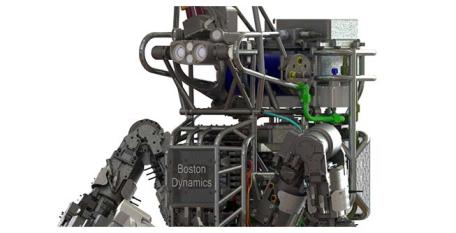
- 2013: the original hydraulic Atlas.
- 2015: an upgraded version with onboard power.
- 2024: introduction of the fully electric Atlas.
- 2026: the industrial product version was presented.
DARPA Atlas historyhttps://www.darpa.mil/about/innovation-timeline/atlas-robot-debut
Boston Dynamics historyhttps://bostondynamics.com/about/
3. Technical specifications
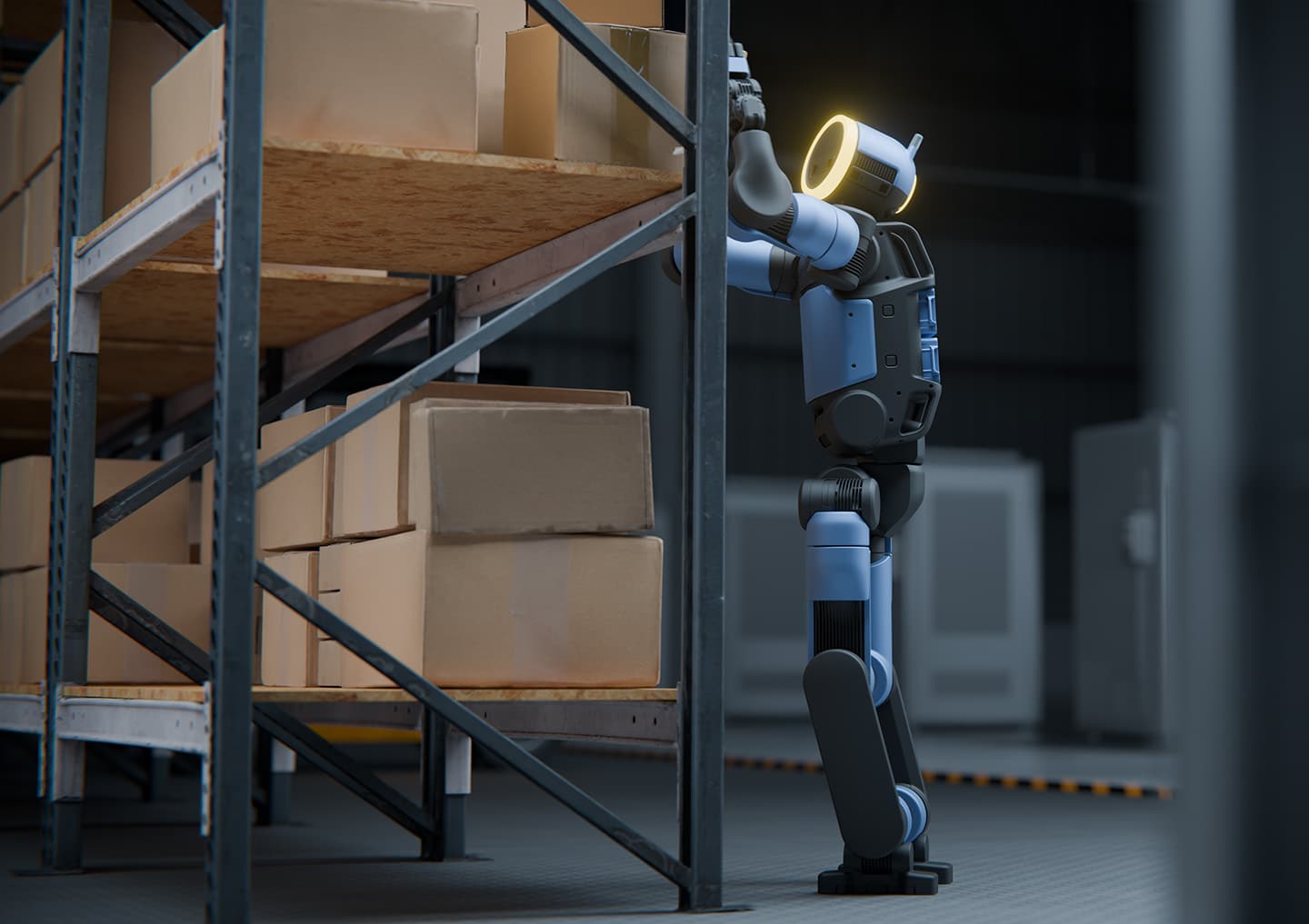
| Specification | Atlas 2026 |
|---|---|
| Height | 190 cm |
| Weight | 90 kg |
| Degrees of freedom | 56 |
| Reach | 2.3 m |
| Peak lifting capacity | 50 kg |
| Sustained lifting capacity | 30 kg |
| One-handed lifting capacity | 20 kg |
| Standard battery runtime | 4 hours |
| Heavy-lifting runtime | 2 hours |
| Autonomous battery swap | 3 minutes |
| Battery recharge time | 1.5 hours |
| Vision | 360° camera coverage |
| Hands | Tactile fingers and palm |
| Ingress protection | IP67 |
| Operating temperature | -20 to 40 °C |
Official technical specification sheethttps://bostondynamics.com/wp-content/uploads/2026/01/atlas-spec-sheet.pdf
4. How much does Atlas cost?
Boston Dynamics has not published a verified public retail price for Atlas. Pricing must be requested from the manufacturer.
A complete deployment budget also needs to account for the charging station, software, operator training, integration with industrial systems and maintenance.
5. How to buy and order Atlas
Commercial availability is limited. The 2026 deployments were already committed, with fleets scheduled for Hyundai and Google DeepMind. GlobalFoundries is also scheduled to begin testing in early 2027 as part of the early adopter program.
- Access the Atlas sales inquiry form.
- Describe your business and intended application.
- Have Boston Dynamics evaluate your requirements and workflow.
- Request a written quotation.
- Arrange integration and operator training.
Boston Dynamics does not currently offer Atlas for ordinary private domestic purchases.
Atlas Sales inquiryhttps://bostondynamics.com/atlas-contact/
Sales emailsales@bostondynamics.com
Hyundai CES 2026 product announcementhttps://www.hyundai.com/worldwide/en/newsroom/detail/0000001100
GlobalFoundries early adopter announcementhttps://bostondynamics.com/news/boston-dynamics-globalfoundries-expand-robotics-collaboration/
6. Tools and equipment
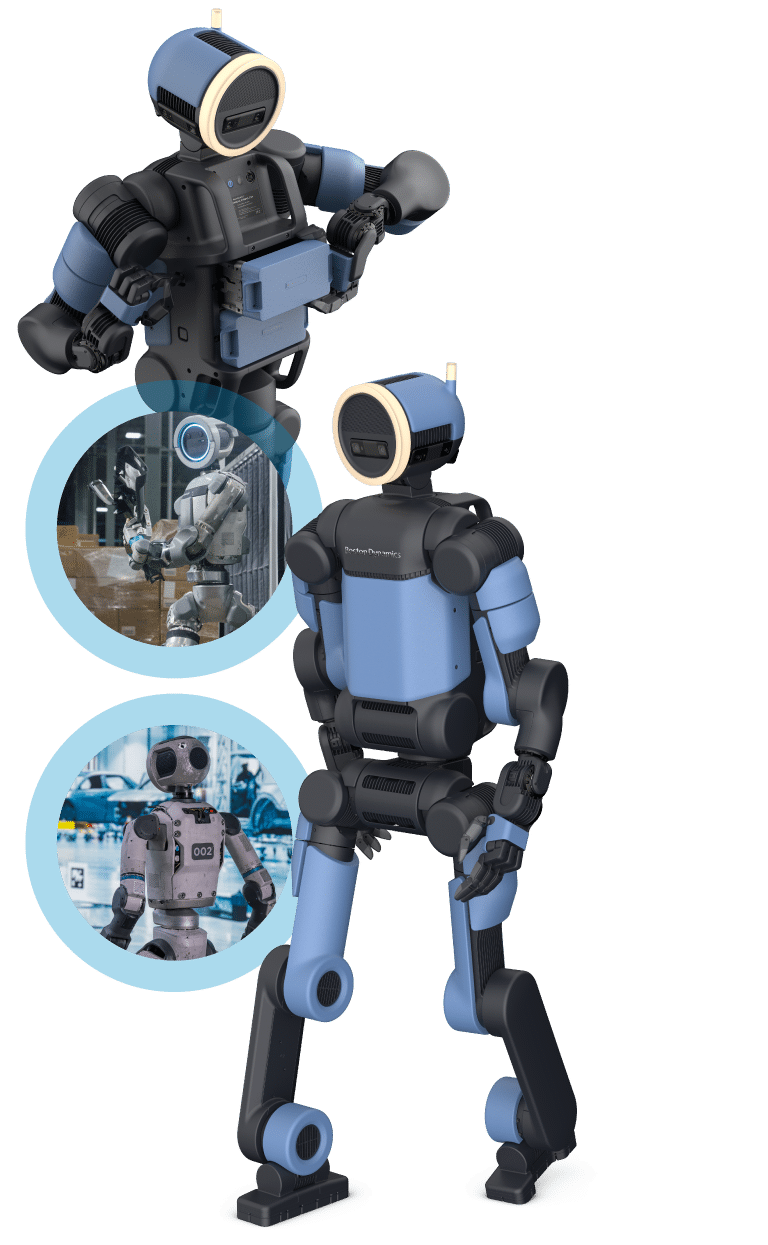
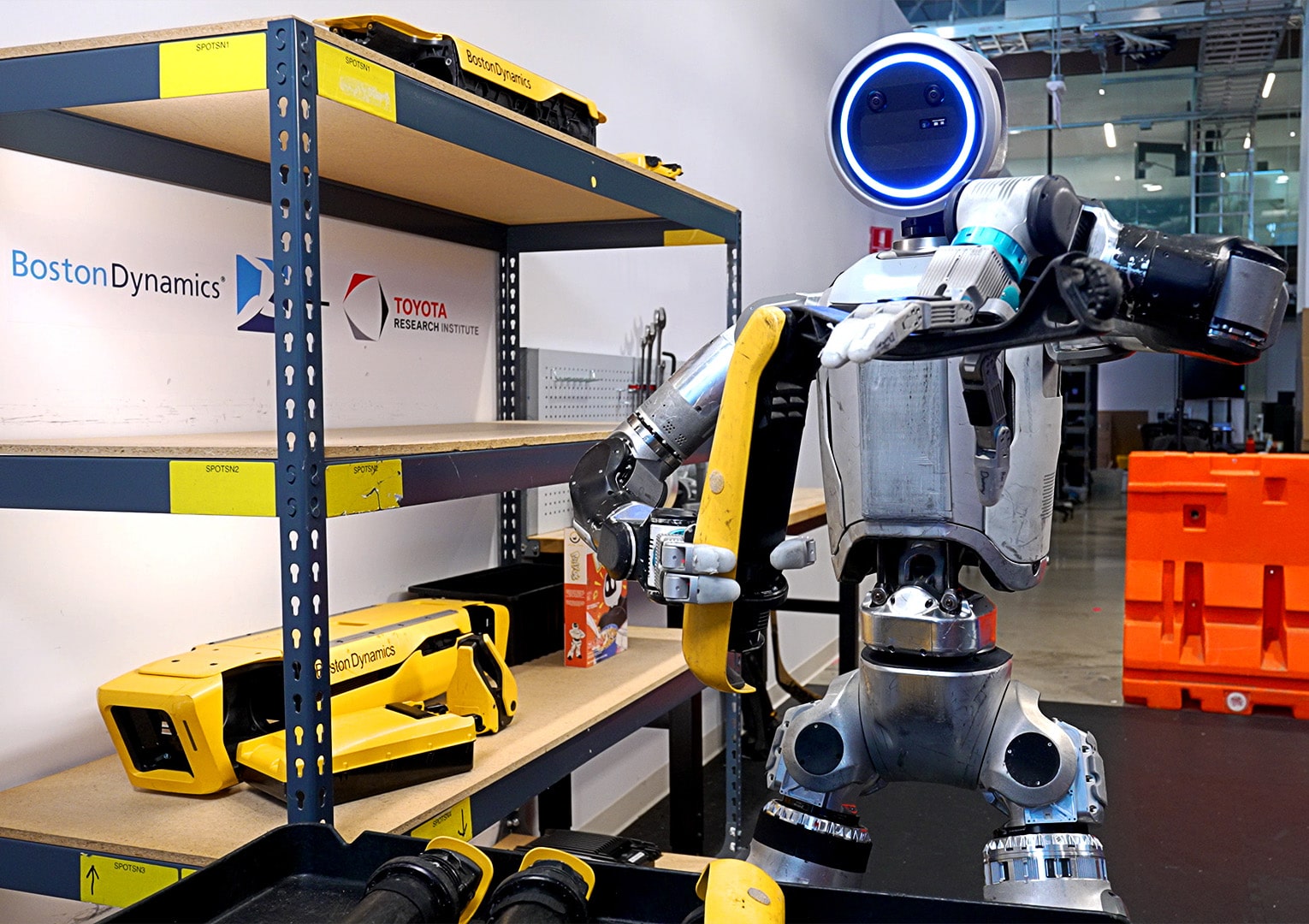
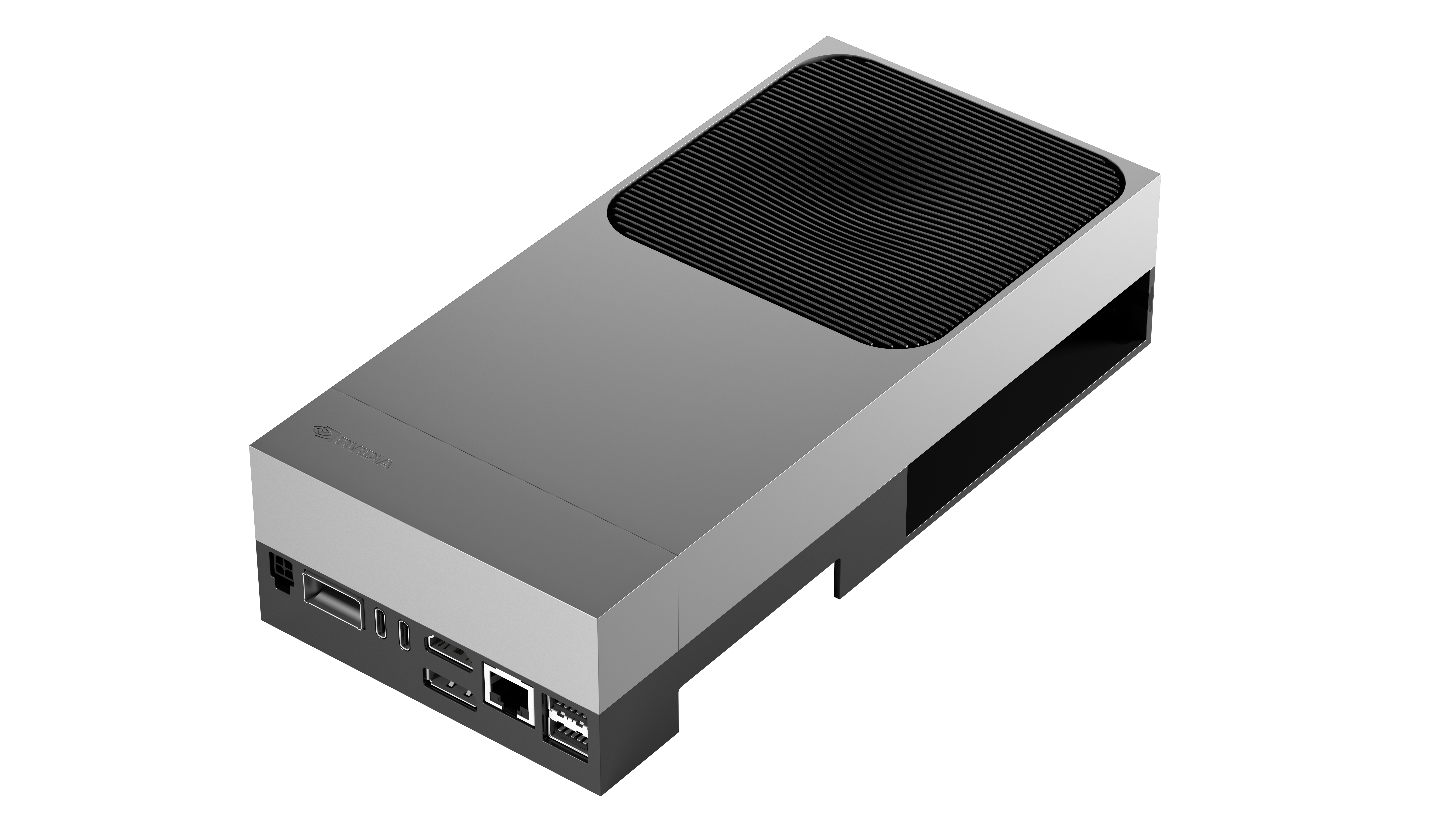
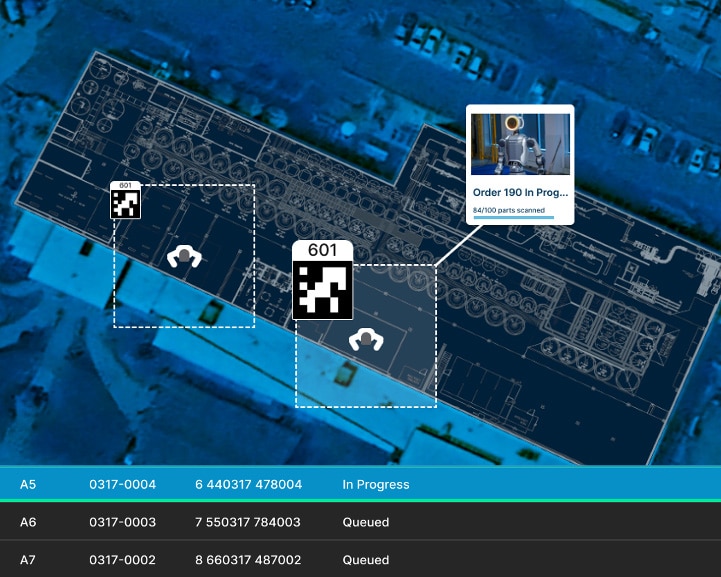
Prepare a compatible charging station, approved VR teleoperation system, computing equipment for AI development when authorized, and Orbit fleet management software. A safe testing area, compatible tablet, network infrastructure and manufacturer-approved maintenance equipment are also needed.
Atlas can return to its station to exchange a depleted battery. The public product sheet lists 110 V charging power, with 220 V optional. The Jetson developer kit is an illustration of development hardware; it is not a required separate purchase for every Atlas installation.
Atlas technical specificationshttps://bostondynamics.com/wp-content/uploads/2026/01/atlas-spec-sheet.pdf
7. How to start Atlas
Boston Dynamics has not published a detailed public startup manual for Atlas. The following is an overview of industrial commissioning, rather than a manufacturer-approved sequence of buttons. Follow the supplied commissioning guide and obtain training before energizing the 90 kg robot.
Boston Dynamics confirms autonomous operation, VR teleoperation and tablet steering. The exact power-on, safety stop and physical recovery procedures depend on the approved configuration and should be learned directly from the manufacturer.
Product informationhttps://bostondynamics.com/products/atlas/
8. How to make Atlas walk
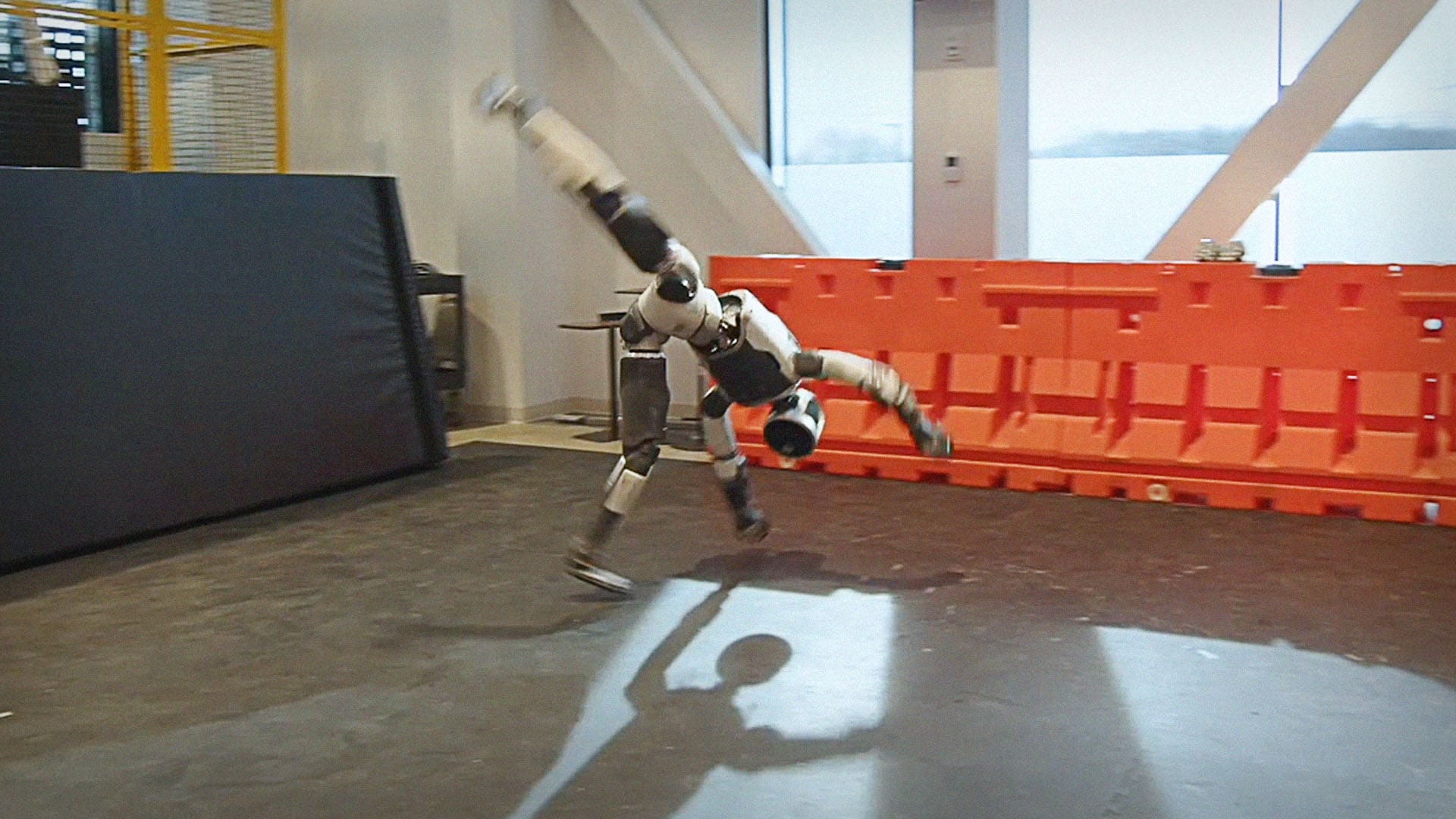
Atlas uses whole-body control to coordinate its legs, torso and arms while maintaining balance. Boston Dynamics has also developed locomotion policies using reinforcement learning. An authorized operator can direct movement through a compatible interface, while the controller calculates the necessary joint movements.
Official walking, running and crawling demonstrationhttps://bostondynamics.com/video/walk-run-crawl-rl-fun/
9. How to make Atlas run
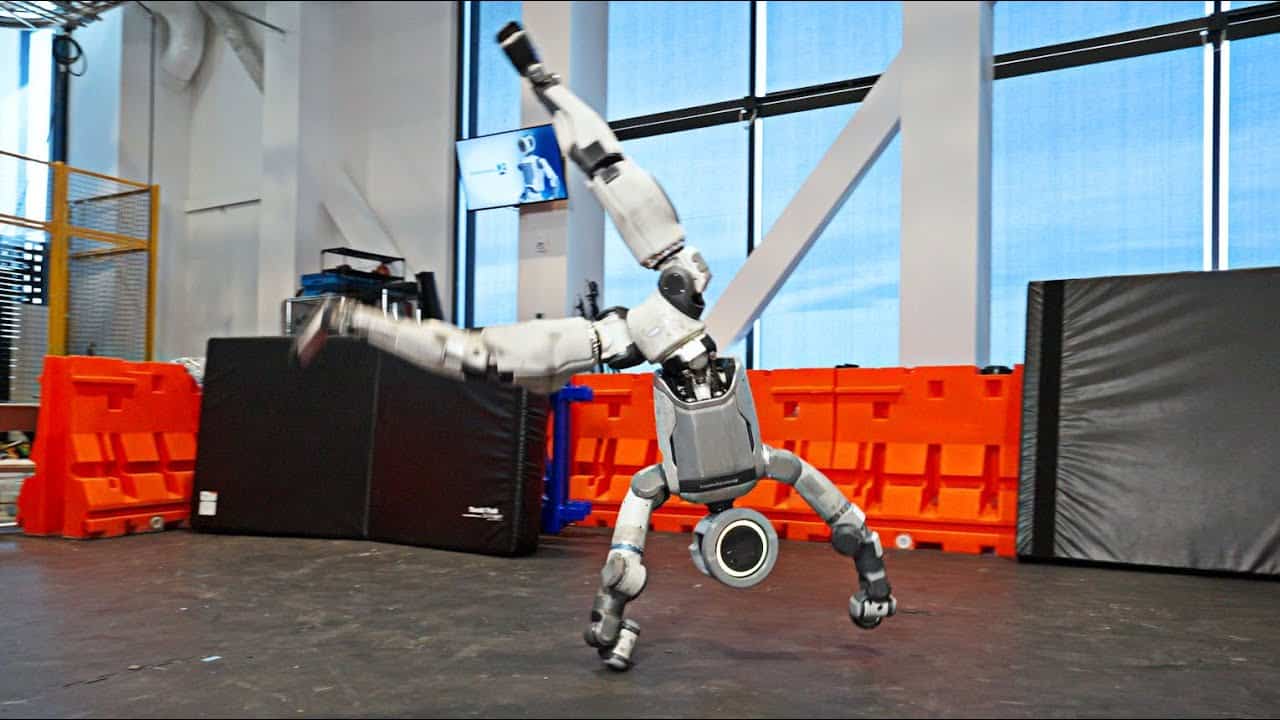
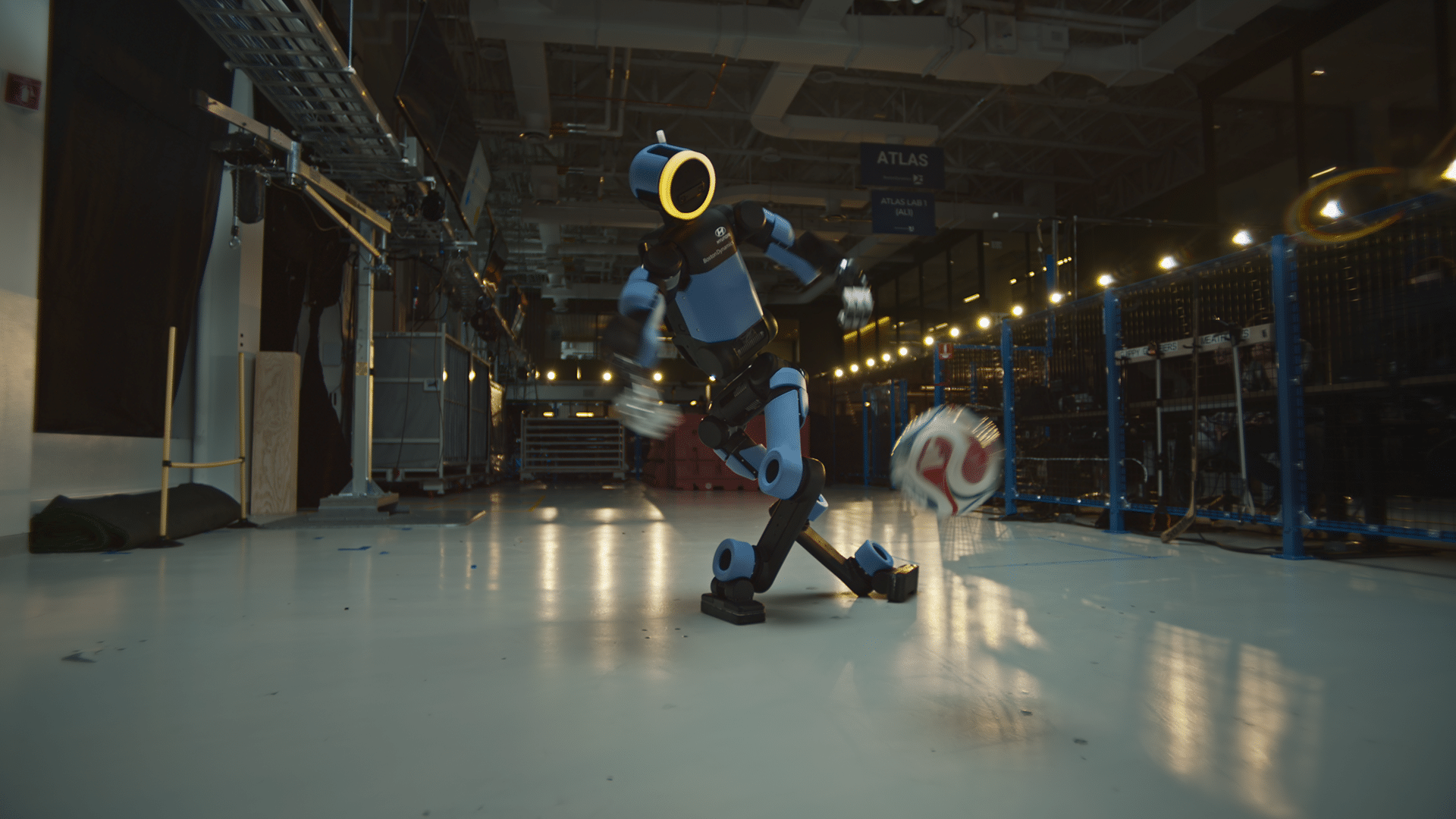
To teach running, researchers can record human motion and map it to the mechanical structure of Atlas. The robot then learns in simulation to reproduce these movements, handle ground impacts and retain balance. The policy is transferred to physical hardware after validation.
The current commercial Atlas 2026 specification sheet does not list a verified maximum running speed. Research demonstrations should not be treated as a speed rating or a public running command.
Boston Dynamics motion learning researchhttps://bostondynamics.com/blog/can-football-teach-a-robot-to-move/
10. How to make Atlas dance
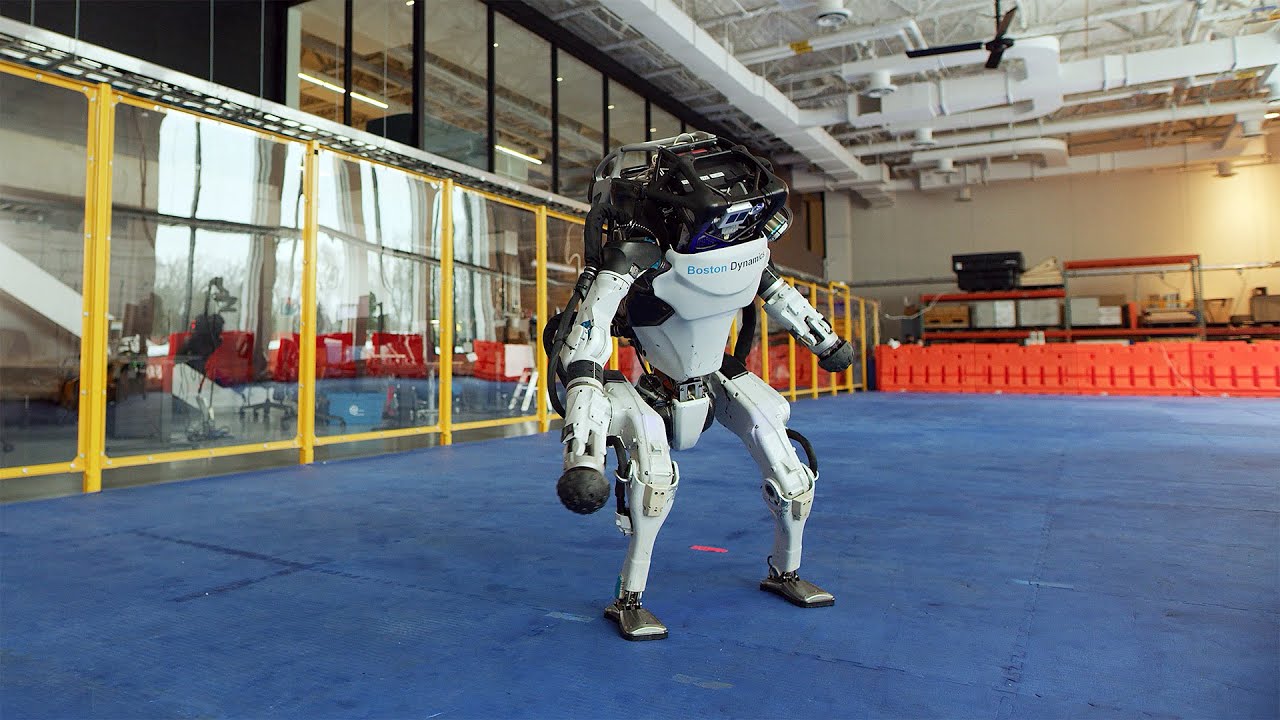
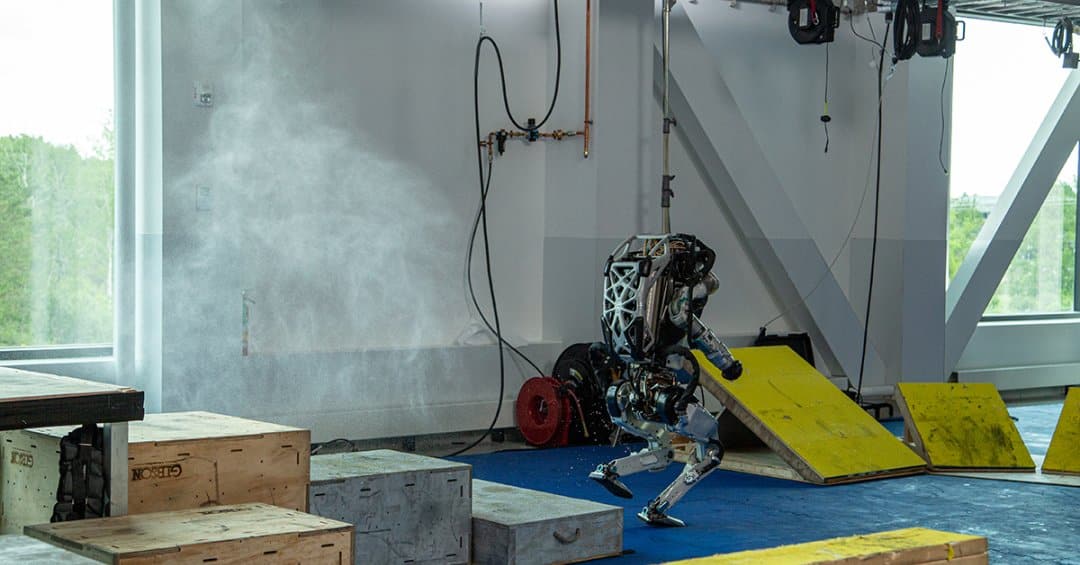
In 2020, hydraulic Atlas took part in a choreography with Spot and Handle. To create a dance, engineers define motion trajectories, coordinate the joints, synchronize movements and manage weight transfers.
Boston Dynamics does not currently provide a public Atlas dance library. The Choreographer software documented for external developers is for Spot. The 2020 performance belongs to the earlier hydraulic generation and is not a built-in routine promised for the 2026 electric product.
Official 2020 dance videohttps://www.youtube.com/watch?v=fn3KWM1kuAw
Spot Choreographer documentationhttps://dev.bostondynamics.com/docs/concepts/choreography/choreographer.html
11. Software and technologies
| Software or technology | Purpose |
|---|---|
| Boston Dynamics Orbit | Robot fleet and task management, including connections to MES and WMS |
| NVIDIA Isaac Sim | Physics simulation |
| NVIDIA Isaac Lab | Reinforcement learning |
| NVIDIA Jetson Thor | Onboard execution of AI models (integration collaboration) |
| MPC | Model predictive motion control |
| Large Behavior Models | Learning tasks from demonstrations |
| VR teleoperation | Directing robots and collecting demonstrations |
| Google DeepMind | AI model development partnership |
Boston Dynamics has confirmed its use of Isaac Lab and its collaboration to integrate Jetson Thor. Isaac Lab is built on Isaac Sim; the Atlas-specific controller, robot model and deployment interface remain separate.
NVIDIA collaborationhttps://bostondynamics.com/news/boston-dynamics-expands-collaboration-with-nvidia/
12. How to program Atlas
Unlike Unitree robots with publicly documented development interfaces, Atlas does not currently have a publicly available equivalent SDK that allows any developer to command its joints directly. Python, Isaac Sim and Isaac Lab are useful starting points for studying humanoid programming in simulation.
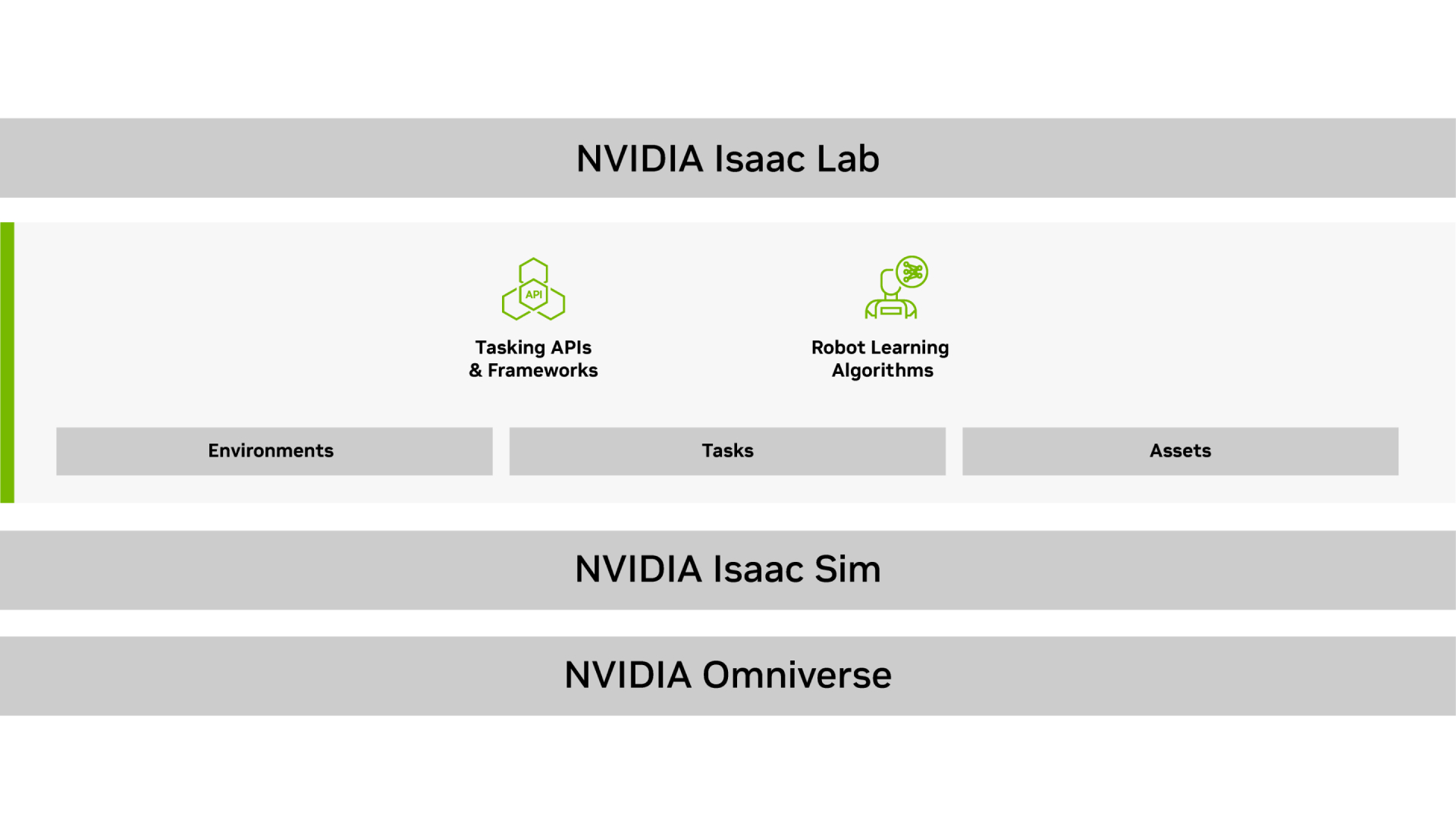
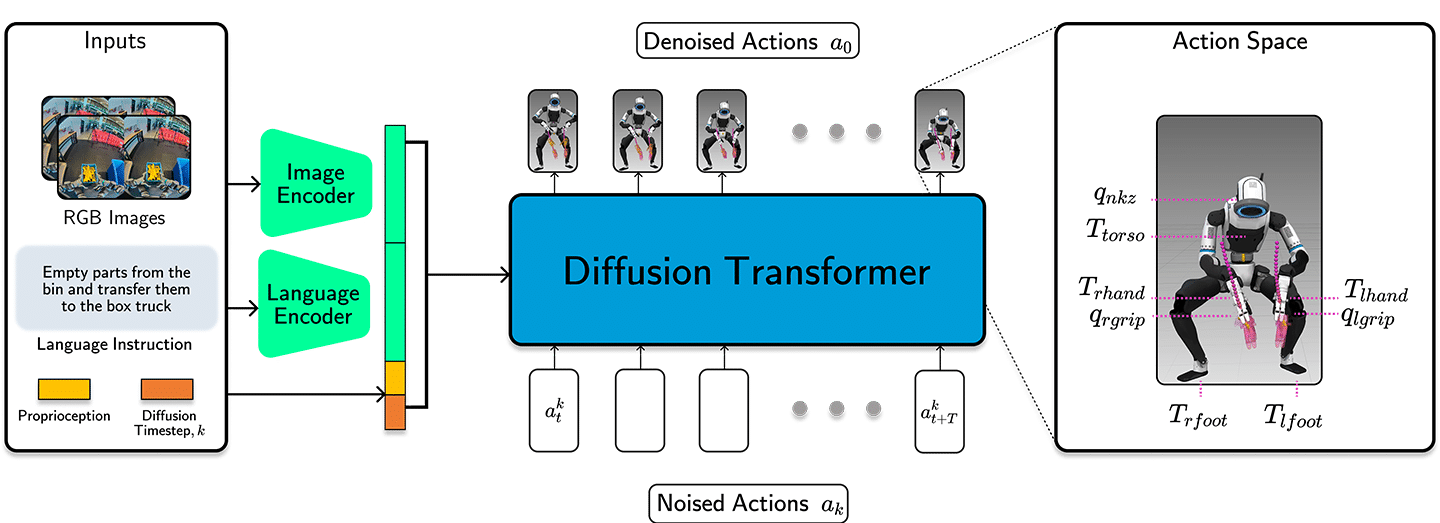
Atlas-specific interfaces, robot models and permission to deploy software must be obtained from Boston Dynamics. The existing public Boston Dynamics SDK and Choreographer documentation apply to Spot, not Atlas.
Open-source Isaac Labhttps://github.com/isaac-sim/IsaacLab
Atlas behavior model researchhttps://bostondynamics.com/blog/large-behavior-models-atlas-find-new-footing/
13. How to train Atlas for new movements
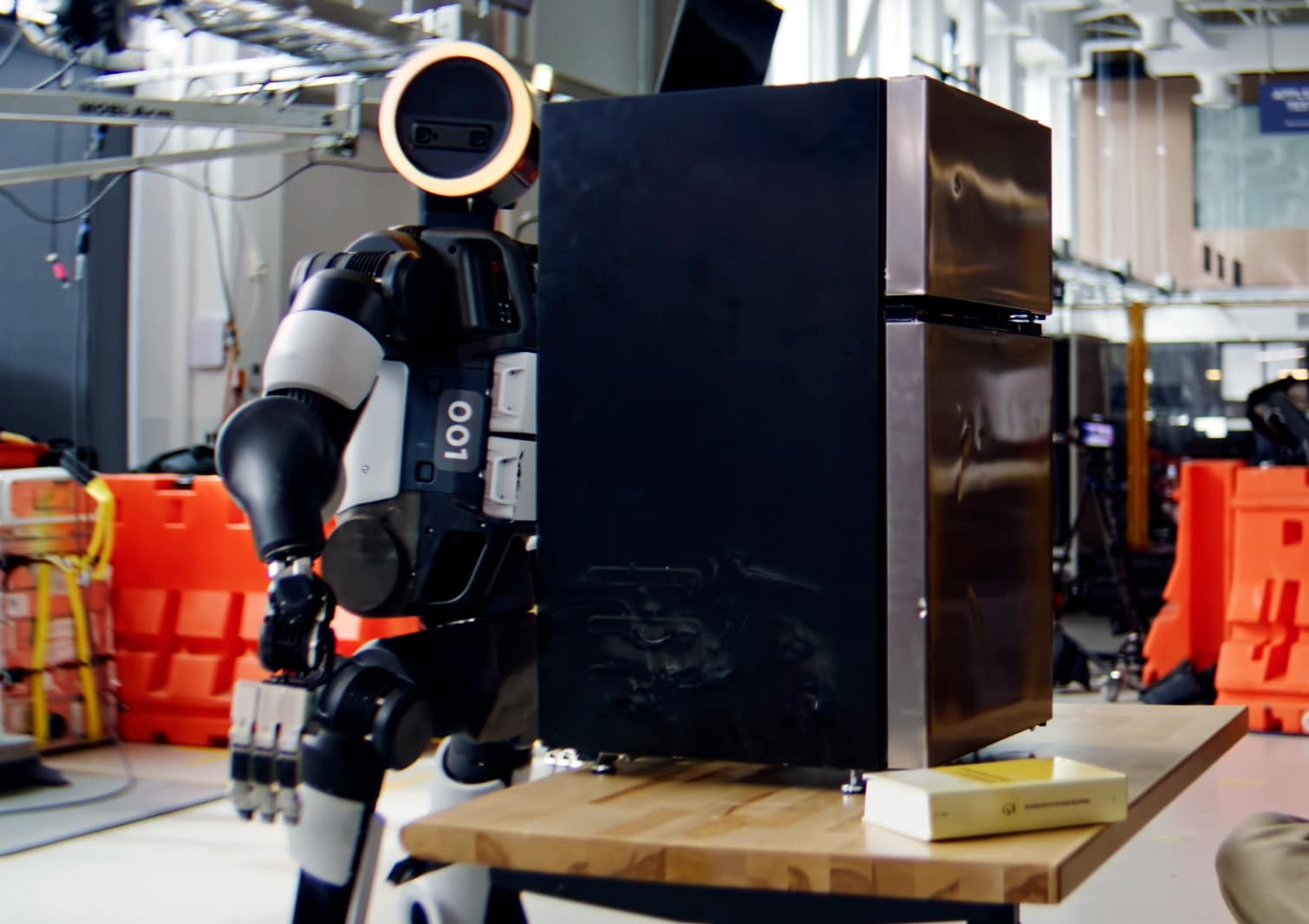
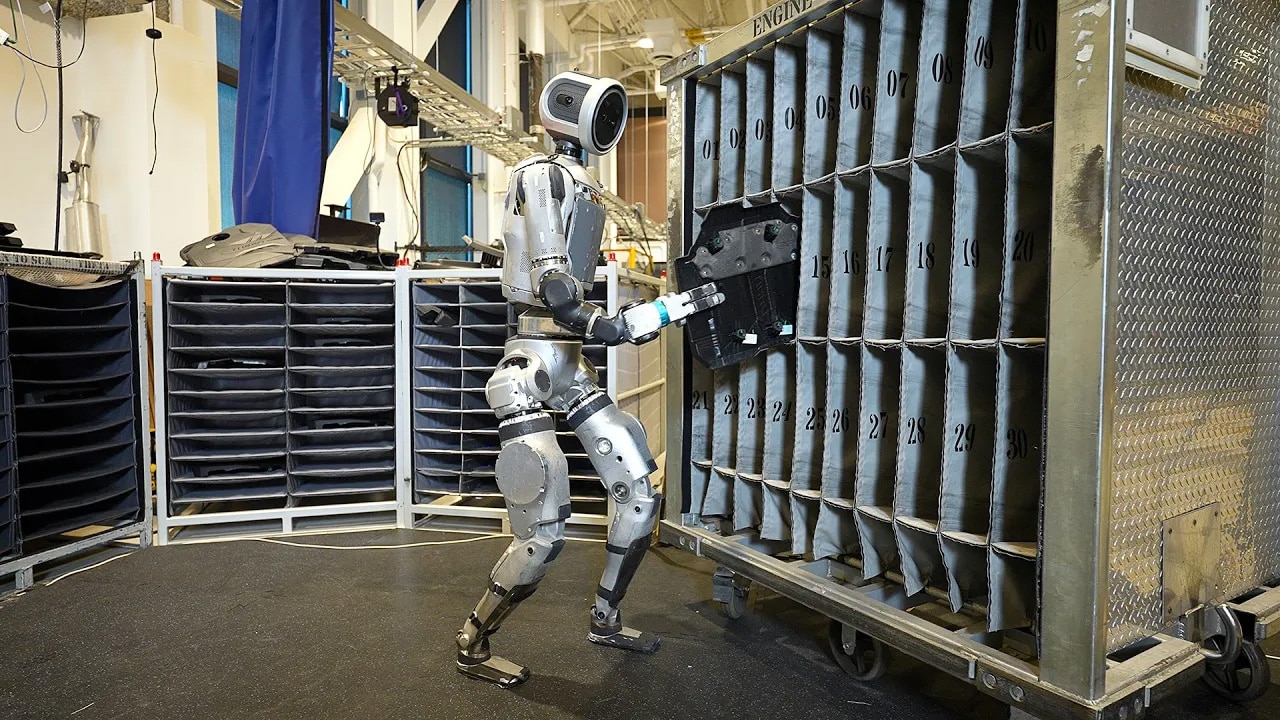
Boston Dynamics uses this approach to study locomotion, manipulation and whole-body coordination. Human motion is retargeted to Atlas, or collected through VR teleoperation. A policy is trained in simulation on many varied trial conditions, checked for stability and then evaluated on the physical robot under supervision. Failures provide data for the next cycle.
Official training descriptionhttps://bostondynamics.com/blog/training-a-humanoid-robot-for-hard-work/
Human demonstrations and reinforcement learninghttps://bostondynamics.com/blog/can-football-teach-a-robot-to-move/
14. Official resources
The following official resources provide product, purchasing and research information. Reference addresses can be copied.
| Resource | Official address |
|---|---|
| Atlas product page | https://bostondynamics.com/products/atlas/ |
| Technical specification sheet | https://bostondynamics.com/wp-content/uploads/2026/01/atlas-spec-sheet.pdf |
| Order and sales inquiry | https://bostondynamics.com/atlas-contact/ |
| NVIDIA Isaac Lab | https://github.com/isaac-sim/IsaacLab |
| Boston Dynamics Orbit | https://bostondynamics.com/products/orbit/ |
| Locomotion demonstrations | https://bostondynamics.com/video/walk-run-crawl-rl-fun/ |
Atlas: buying, commissioning and lifetime support
Use this ownership checklist alongside the detailed technical guide. Product claims and original profile data are distinct from the suggested acceptance tests. Additional official sources consulted on 24 November 2026 where available.
| Item | Existing configuration record |
|---|---|
| Configuration | Electric product version |
| Commercial status | Limited Deployment |
| Price and ordering record | Selected early-adopter projects are handled through Boston Dynamics. No public fixed price is shown. |
| Published runtime | 4 h; Manufacturer estimate without a shared task workload. |
| Published payload | 30 kg sustained; 50 kg instant; Two different load ratings. Neither is a single-arm rating. |
| Actuated joints | 56; Published total. A body-versus-hand breakdown is not provided. |
Where to buy and what the price includes
Use the Atlas enterprise inquiry channel; a product specification is not a public retail price or delivery commitment. Include workcell integration and a battery station in the quote.
Official sales / product information
Request an itemized landed cost: robot and options, charger and spare packs, shipping, import duties, commissioning, software subscription, staff training, spare parts and service. Confirm currency, region, warranty exclusions and acceptance terms in writing.
Installation, software and first commissioning
Atlas is designed for whole-body industrial manipulation. Confirm task programming, fleet integration and diagnostic permissions in the contract; public research is not a downloadable Atlas controller.
- Sensors and joint feedback
- State estimation / task control
- Approved motion controller
- Actuators and end effector
- Measured task result
Feedback, fault detection and the approved stop function constrain the command path.
On delivery, match serial number, options and manual; inspect for shipping damage, prepare the manufacturer-approved workspace, verify stop functions with the installer, connect only the documented controller and establish a read-only diagnostic baseline. Perform the first motion under manufacturer supervision where required.
Firmware and software updates
Use manufacturer commissioning, software release and service procedures; do not reuse hydraulic Atlas research software. Validate a representative workcell after updates.
Official documentation / releases
Before changing versions, save calibration, configuration, task scripts and logs where export is supported. Review compatibility and recovery policy, schedule downtime, maintain the required power and network conditions, and test the same approved task after the update. A downgrade is only appropriate if supported by the vendor.
Battery, charging and usable service life
Boston Dynamics describes autonomous pack exchange at a charging station. Log exchange success, queue time and productive time separately.
Official power or product record
Battery cycle life and robot service life are different. Equivalent full cycles (EFC) can be estimated as cumulative discharged energy (Wh) divided by initial usable pack energy (Wh). State of health (SOH) is measured usable capacity divided by baseline usable capacity × 100%, under comparable conditions. Example only: 1,800 Wh discharged from a 600 Wh reference pack equals 3 EFC; neither number is a specification for this robot. Ask for the manufacturer’s cycle rating, temperature limits, capacity-retention criterion and warranty. Do not use an arbitrary percentage as a replacement threshold.
Maintenance and common failure checks
| When | Inspection and evidence |
|---|---|
| Before operation | Track gripper wear, failed picks, battery-station docking failures and intervention time. Request service access and end-of-support dates before purchase. |
| After a fault or impact | Do not restart a damaged robot. Capture fault code, timestamp, joint feedback and power state; have the vendor identify the cause before clearing faults. |
| After software or parts change | Record versions and replaced part serials; compare the same approved test with the earlier baseline. Stop on new errors or unexpected movement. |
| At manufacturer service intervals | Use the documented interval and authorized service procedures. No universal calendar or lubricant is assumed. |
| At end of service | Ask about spare-part availability, data removal, battery take-back and local electronics recycling. |
What is still missing before purchase
Confirm the battery cycle rating, warranty and service life for this exact serial-numbered configuration, along with spare-part lead times, repair turnaround, supported software versions and end-of-support dates. These are procurement questions, not invented published values. Record the actual task success rate, intervention count and productive hours in your acceptance trial.
How to install the software mentioned on this page
Choose only the tools required for your project. The commands below describe development and simulation setup, not proof of compatibility with a specific physical robot. Match the versions in the original project and test offline before connecting hardware.
Python Windows, macOS, Linux
Install the Python release required by your robot or library. On Windows use the official installer; on Ubuntu use the distribution package. Create a separate virtual environment for each project.
Installation / setup commands
python -m venv .venv
# Windows PowerShell:
.\.venv\Scripts\Activate.ps1
# Linux or macOS:
source .venv/bin/activate
Verify the installation
python --version
python -m pip --version
Official instructions: https://www.python.org/downloads/
NVIDIA Isaac Sim Supported Windows/Linux workstation with compatible NVIDIA GPU
Check NVIDIA's GPU, driver, OS and Python compatibility matrix. This is a documented example for Isaac Sim 5.1.0 in a Python 3.11 virtual environment; use the release required by your project and accept the applicable license when prompted. Do not mix incompatible releases.
Installation / setup commands
python -m pip install --upgrade pip
python -m pip install "isaacsim[all,extscache]==5.1.0" --extra-index-url https://pypi.nvidia.com
Verify the installation
python -m pip show isaacsim
isaacsim
Official instructions: https://docs.isaacsim.omniverse.nvidia.com/5.1.0/installation/install_python.html
NVIDIA Isaac Lab Supported Linux or Windows configuration
The following is a version-pinned example for Isaac Lab 2.3.1 with Python 3.11. Check the matching Isaac Sim release, supported GPU and operating system. Install the compatible PyTorch build for your computer using the same version's documentation. For other releases, follow their own installation guide.
Installation / setup commands
python -m pip install --upgrade pip
python -m pip install "isaaclab[isaacsim,all]==2.3.1" --extra-index-url https://pypi.nvidia.com
Verify the installation
isaacsim
Official instructions: https://isaac-sim.github.io/IsaacLab/v2.3.1/source/setup/installation/isaaclab_pip_installation.html
Manufacturer SDK / robot software Exact robot model and firmware version
Check whether the manufacturer provides a public SDK or a licensed developer package for this edition. Obtain the matching release and installation manual from the manufacturer. Install its documented dependencies in an isolated environment and run the offline import or simulator check. Do not flash firmware or send motor commands during installation.
Verify the installation
Confirm supported model, OS, SDK and firmware version. If no public installer is documented, request developer access from the manufacturer.